Updated November 21, 2026. React Native facts are from the React Native team's release posts (0.76, 0.81, 0.82, 0.84, 0.87); store rules are from Google Play's target API policy and Apple's upcoming requirements page.
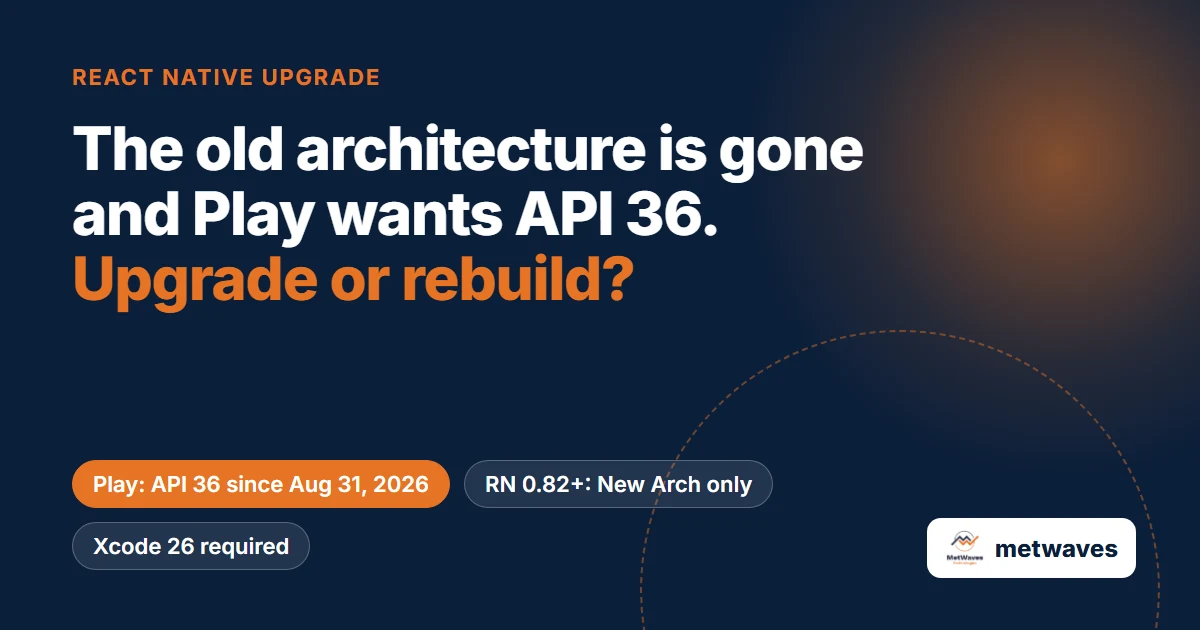
Short answer. Since React Native 0.82 (October 2025) the New Architecture is the only architecture, and since August 31, 2026 Google Play only accepts new apps and updates that target Android 16 (API level 36). An app still on React Native 0.7x with the old architecture cannot ship an Android update until it is upgraded. For most apps the answer is upgrade, not rebuild: move to 0.81, switch the New Architecture on, then step up to the current release. Rebuild only when most native libraries are abandoned or the JavaScript code is past saving.
Key dates and facts
- Google Play, since August 31, 2026New apps and app updates must target Android 16 (API 36). Extensions ran to November 1, 2026
- Google Play, existing appsMust target API 35 or higher to stay available to new users on newer Android versions
- Apple, since April 28, 2026Uploads must be built with Xcode 26 and an iOS 26 SDK
- React Native 0.82October 8, 2025: New Architecture only;
newArchEnabled=falseis ignored - React Native 0.81 / Expo SDK 54Last versions that still allow the old architecture
- Current React Native0.88 (October 2026); requires Node.js 22
- Expected next Play ruleAPI 37, likely by August 2027. This follows Google's yearly pattern; it is not yet announced
React Native and store deadlines
Framework releases and app store rules.
- Oct 2024 · React NativeRN 0.76: New Architecture on by default
- Aug 2025 · React NativeRN 0.81: targets Android 16 (API 36); last version with the old architecture
- Oct 2025 · React NativeRN 0.82: New Architecture only
- Feb 2026 · React NativeRN 0.84: old architecture components removed, Node 22
- Apr 28, 2026 · AppleApp Store: build with Xcode 26
- Aug 31, 2026 · GoogleGoogle Play: new apps and updates must target API 36
- Nov 1, 2026 · GoogleLast date of Play's extension
- Aug 2027? · GoogleExpected: API 37 (not announced)
What is the New Architecture, and why does it matter now?
React Native apps run JavaScript that talks to native iOS and Android code. The old architecture did that through an asynchronous "bridge" that serialised every message to JSON. The New Architecture replaces it with four pieces:
- JSI (JavaScript Interface): JavaScript holds direct references to native objects, so calls no longer go through JSON.
- Fabric: the new rendering system, which supports React's concurrent features.
- TurboModules: native modules loaded on demand and called synchronously when needed.
- Codegen: generates typed native glue code from TypeScript or Flow specs.
The timeline matters more than the internals. React Native 0.76 (October 2024) turned the New Architecture on by
default. React Native 0.82 (October 2025) made it the only option: the team wrote that setting
newArchEnabled=false on Android or RCT_NEW_ARCH_ENABLED=0 on iOS "will be ignored and your app
will still run using the New Architecture". From 0.84 (February 2026) the team started removing old-architecture
components outright. Interop layers that let many older libraries keep working remain "for the foreseeable future", but
they are a bridge, not a destination.
So the practical rule is simple: you cannot use any React Native release after 0.81 without the New Architecture, and every fix, Android SDK update and Xcode compatibility change from now on lands only in those releases.
What does Google Play's API 36 rule mean for your app?
Each year Google raises the minimum Android API level that apps must target. The current rule:
| Situation | Requirement | What happens if you miss it |
|---|---|---|
| New app, or an update to an existing app | Target Android 16 (API 36) since August 31, 2026 | Play Console rejects the upload |
| Existing app you are not updating | Target Android 15 (API 35) or higher | Hidden from new users on newer Android versions |
| Wear OS and Android Automotive OS apps | Target Android 15 (API 35) | Same as above, for those devices |
| Android TV and Android XR apps | Target API 34 | Same as above, for those devices |
| Permanently private apps for one organisation | Exempt | n/a |
The extension Google offered ran to November 1, 2026. It is over, so an app targeting API 35 today cannot ship any Android update, including an urgent bug or security fix. In Play Console the rejection reads along the lines of "Your app currently targets API level 35 and must target at least API level 36 to ensure it is built on the latest APIs optimized for security and performance."
In a React Native project, the target lives in android/build.gradle:
// android/build.gradle (React Native 0.88 template)
buildscript {
    ext {
        buildToolsVersion = "37.0.0"
        minSdkVersion = 24
        compileSdkVersion = 37
        targetSdkVersion = 36
    }
}
Why not just change targetSdkVersion to 36 on an old project? Because targeting Android 16 switches on
behaviour your old React Native version does not handle. The React Native 0.81 post explains the two big
ones: Android 16 forces edge-to-edge display with no opt-out, so content slides under the status and
navigation bars unless the app handles insets, and the predictive back gesture is on by default, which
breaks custom native back handling. React Native 0.81 is the first release built for both, and it deprecates
<SafeAreaView> in favour of react-native-safe-area-context. Old React Native versions also
fail to build with newer Android Gradle Plugin and Kotlin versions, so the version bump drags the toolchain with it.
Google has raised the floor every August for years. Expect API 37 (Android 17) by about August 2027; Google has not announced it yet, so treat that date as a planning assumption. Note that the React Native 0.88 template already compiles against API 37.
How do you upgrade an old React Native app step by step?
The React Native team's advice for apps still on the old architecture is: move to 0.81 (or Expo SDK 54), switch the New Architecture on there, confirm the app works, then upgrade further. In practice:
1. Inventory the app and its native libraries
npx react-native info          # React Native, Node, Xcode, Android SDK versions
npm ls --depth=0               # direct dependencies
npx react-native config        # autolinked native dependencies and their platforms
Check each native library on the React Native Directory, which shows whether it supports the
New Architecture and whether it is still maintained. Expo projects can run npx expo-doctor, which checks
the same data.
2. Upgrade to 0.81 in hops
Use the React Native Upgrade Helper: pick your current and target versions and it shows the exact diff
to the native project files (build.gradle, MainApplication, AppDelegate,
Podfile). For very old apps, do it in a few hops so each diff stays readable. React Native 0.81 needs
Node.js 20.19.4 or later and Xcode 16.1 or later.
3. Switch on the New Architecture at 0.81 and test
# android/gradle.properties
newArchEnabled=true
hermesEnabled=true
edgeToEdgeEnabled=true
cd ios && RCT_NEW_ARCH_ENABLED=1 bundle exec pod installThe error you are most likely to see is a native module that has not been ported:
Invariant Violation: TurboModuleRegistry.getEnforcing(...): 'RNExampleModule' could not be found.
Verify that a module by this name is registered in the native binary.
The fix is a newer version of that library, a maintained replacement, or porting your own module to a TurboModule with a Codegen spec. Expect layout issues too: Fabric is stricter about some styles, and edge-to-edge moves content under system bars until you add safe-area insets.
4. Move from 0.81 to the current release
From here the steps are smaller, but watch for these breaking changes:
| Version | Change to plan for |
|---|---|
| 0.82 | New Architecture only; the old-architecture flags are ignored |
| 0.84 | Hermes V1 becomes the default JavaScript engine; old-architecture components removed; Node.js 22 minimum; precompiled iOS binaries by default |
| 0.85 | Jest preset moved to its own package (@react-native/jest-preset); StyleSheet.absoluteFillObject removed; end-of-life Node.js versions dropped |
| 0.87 | Android Gradle Plugin 9 and Kotlin 2.0+ required; strict TypeScript API by default; experimental Swift Package Manager support on iOS |
5. Build and submit with current store tooling
For iOS, every upload since April 28, 2026 must be built with Xcode 26. For Android, confirm
targetSdkVersion = 36 in the release build, then use a staged rollout in Play Console so a crash affects a
small share of users first.
Should you upgrade React Native or rebuild the app?
Upgrade React Native, or rebuild?
Answer each in turn.
Is the app on React Native 0.76 or later?
YesUpgrade in place: weeks.
NoPlan hops: old → 0.81 → latest.
Do most native libraries support the New Architecture?
YesUpgrade; swap the few that don't.
NoReplace them, or rebuild those screens.
Is the JavaScript code healthy and tested?
YesKeep it: upgrading is cheaper.
NoA rebuild may cost about the same.
| Option | When it fits | Watch out for | Rough effort (estimate) |
|---|---|---|---|
| Upgrade React Native in place | App on 0.72 or later, most libraries maintained, code in reasonable shape | Hops through 0.81; layout fixes for Fabric and edge-to-edge | 2–8 weeks |
| Upgrade and move to Expo | Little custom native code; you want managed builds and over-the-air updates | Some native modules need config plugins | Upgrade effort plus 1–3 weeks |
| Rebuild in React Native | Old app (0.6x), many abandoned native libraries, but the team knows React | Reuse business logic and API clients where possible | 2–5 months for a typical business app |
| Rebuild in Flutter or native | Team or product reasons beyond the upgrade, such as heavy graphics or platform-specific features | Two codebases for native; a new language for Flutter | 3–6 months or more |
The store listing does not reset in any of these paths: a rebuilt app ships as an update under the same package name and bundle ID, so ratings, reviews and users stay. What a rebuild does reset is the bug history of years of fixes, which is why upgrading usually wins when the code is sound.
What this means for you: owner or IT manager
- If your Android app does not target API 36, you cannot ship any update to Google Play right now, not even a fix.
- An upgrade usually costs a fraction of a rebuild and keeps your listing, ratings and users.
- Budget for this every year: Google raises the target API each August, and API 37 is the likely next step in 2027.
- Ask for a native-library audit first; it decides between weeks and months.
What this means for you: developer
- Hop to 0.81, enable
newArchEnabled=true, fix TurboModule errors, then go to 0.88. - Handle edge-to-edge with
react-native-safe-area-context;SafeAreaViewis deprecated. - Node.js 22 from 0.84; AGP 9 and Kotlin 2 from 0.87; Xcode 26 for iOS uploads.
- Use the Upgrade Helper diff for native files instead of hand-merging templates.
What should you do this month?
- Check the target API of your last Android release in Play Console, and your React Native version in
package.json. - Audit native libraries against the React Native Directory.
- Upgrade to 0.81 and enable the New Architecture on a branch; fix what breaks.
- Step up to the current release, build with Xcode 26 and target API 36.
- Release with a staged rollout on Android and phased release on iOS.
- Put August 2027 in the plan for the next Android target bump.
Frequently asked questions
Can I still use the old React Native architecture?
Only on React Native 0.81 or Expo SDK 54 and earlier. From React Native 0.82 the New Architecture is the only architecture, and setting newArchEnabled=false is ignored.
What API level must Android apps target on Google Play now?
Since August 31, 2026, new apps and app updates must target Android 16 (API level 36). Existing apps need API 35 or higher to stay available to new users on newer Android versions. The extension option ended on November 1, 2026.
Which React Native version targets Android 16 (API 36)?
React Native 0.81 was the first release to target Android 16 (API 36) by default, with edge-to-edge display and predictive back support. Later versions keep API 36 as the target.
When will Google Play require API 37?
Google has not announced it. Based on its yearly pattern of raising the target each August, plan for API 37 (Android 17) around August 2027 and check Google's policy page in spring.
What does the 'TurboModuleRegistry.getEnforcing could not be found' error mean?
A native module your JavaScript uses is not registered for the New Architecture. Update the library, replace it with a maintained one, or port your own module to a TurboModule with a Codegen spec.
Is it cheaper to upgrade or rebuild a React Native app?
Usually cheaper to upgrade, as a planning estimate two to eight weeks against several months for a rebuild. A rebuild wins when most native libraries are abandoned or the JavaScript code has no tests and is hard to change.
Do we lose our App Store and Play ratings if we rebuild?
No, as long as the new app ships as an update under the same bundle ID and package name. Ratings, reviews and installed users carry over.
Other deadlines coming up
Stuck behind the API 36 rule? We upgrade React Native apps to the New Architecture and current store requirements for businesses in the US, UK, Canada and Australia, starting with a native-library audit and a fixed quote, and we rebuild when that is the cheaper path. See our cross-platform app development service or ask for a React Native upgrade audit.
Related: mobile app development, Android development, iOS development and QA and testing for device regression testing before a staged rollout.

Nikit Nandan
Strategy Director
Nikit is experienced in conducting in-depth research to stay abreast of industry trends and emerging technologies.