Updated November 21, 2026. Dates and rules are from Microsoft's Exchange Team blog and EWS deprecation page.
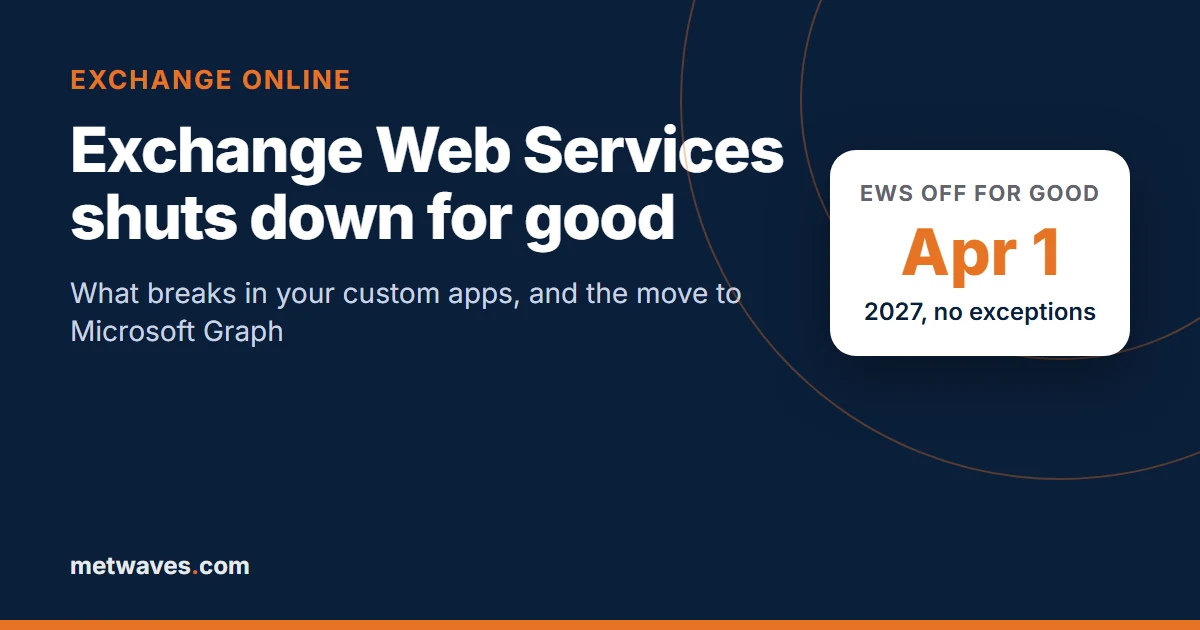
Short answer. Exchange Web Services (EWS) in Exchange Online has been off by default since October 1, 2026, and Microsoft switches it off permanently on April 1, 2027, with no exceptions. Any custom app that reads mailboxes, books rooms or syncs calendars through EWS is either failing with an HTTP 403 today or working only because an admin re-enabled it. The fix is to move that code to Microsoft Graph, which for most apps means rewriting the mailbox-access layer, not the whole app.
What are the key dates for the EWS shutdown?
EWS (Exchange Web Services) is the SOAP-based API that Exchange has exposed since 2007 for reading and writing mailbox data. Microsoft stopped developing it for Exchange Online years ago and is now removing it, partly because the Midnight Blizzard attack in January 2024 involved EWS. After that incident Microsoft widened the shutdown to its own products, including Outlook, Teams and Dynamics 365.
| Date | What happens |
|---|---|
| July 2018 | Microsoft stops adding features to EWS in Exchange Online |
| 2023 | Microsoft announces EWS will be disabled in Exchange Online in October 2026 |
| January 2024 | Midnight Blizzard incident involves EWS; scope widened to Microsoft's own apps |
| February 5, 2026 | Exchange Team publishes the final plan, Exchange Online EWS, your time is almost up |
| October 1, 2026 | Tenants still at the default setting (EWSEnabled = Null) are switched to False as the rollout reaches them. EWS is blocked unless an admin opted in with an allow list |
| Until April 2027 | Admins can still re-enable EWS for listed apps, as a stopgap |
| April 1, 2027 | EWS fully and permanently disabled in Exchange Online. No exceptions |
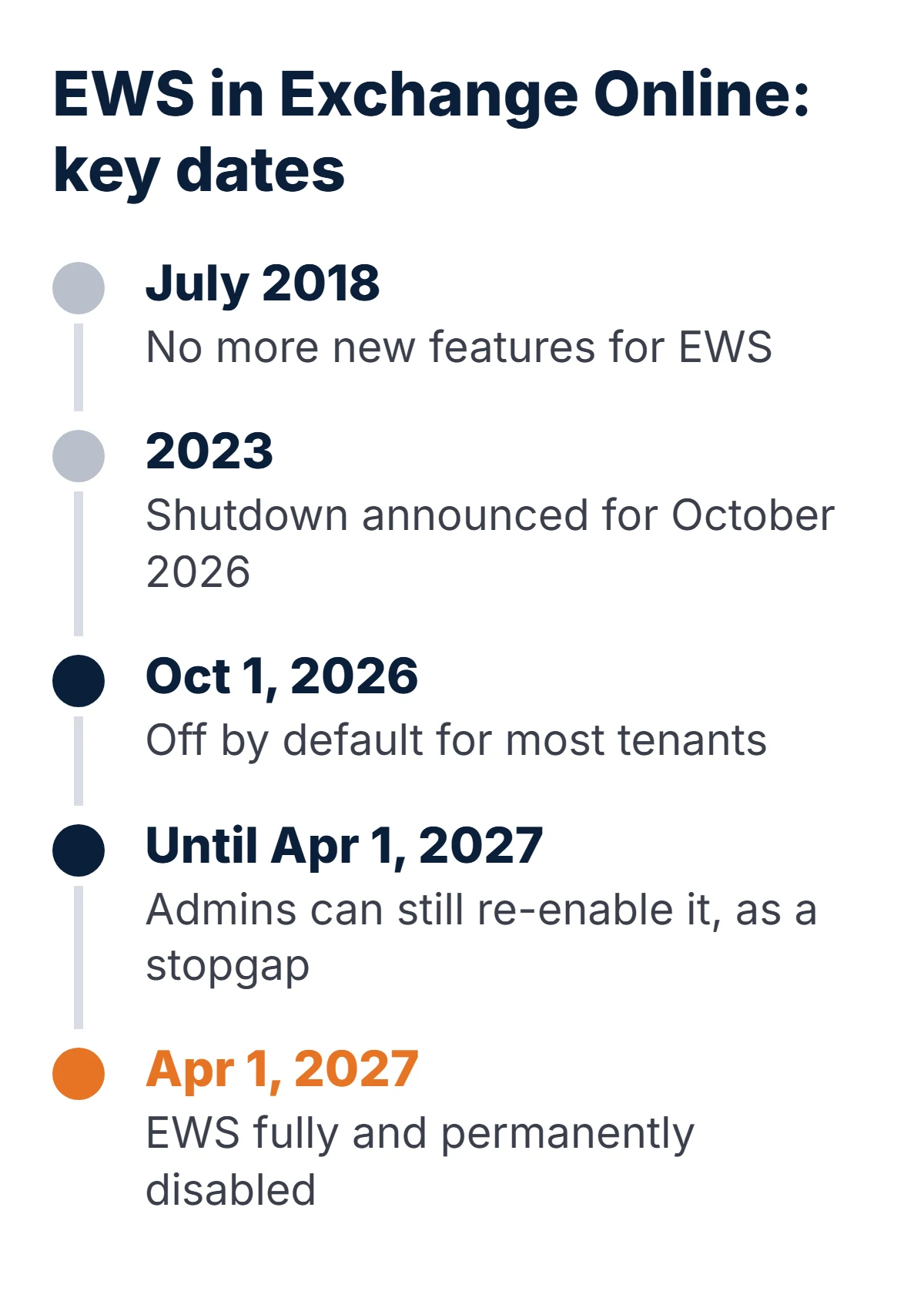
Scope matters. The shutdown covers Exchange Online (Microsoft 365) in all its clouds. Microsoft states that EWS is not being retired in Exchange Server on-premises. If you run hybrid, any code that touches a mailbox hosted in Exchange Online has to move to Microsoft Graph, even if the same code still talks EWS to on-premises mailboxes.
Is EWS already switched off in our tenant?
Probably, unless someone acted in September. The behaviour is controlled by one organization setting, EWSEnabled, and since October 2026 it works like this:
| EWSEnabled value | Before October 2026 | From October 2026 to April 1, 2027 |
|---|---|---|
| Null (the default) | EWS allowed for all apps | Changed to False by Microsoft as the rollout reaches the tenant |
| False | EWS blocked | EWS blocked |
| True, with an app ID allow list | All EWS allowed, even with an empty list | Only app IDs in EwsAllowedAppIDs can use EWS. An empty list blocks everything |
| Any value, after April 1, 2027 | - | EWS off. The setting no longer has any effect |
An admin can check the current state in Exchange Online PowerShell:
Connect-ExchangeOnline

# Is EWS on for the organization?
Get-OrganizationConfig | Format-List EwsEnabled, EwsApplicationAccessPolicy, EwsAllowList, EwsBlockList

# Which app IDs are allowed to use EWS?
Get-OrganizationConfig -RetrieveEwsOperationAccessPolicy | Format-List EwsAllowedAppIDs

# Is EWS on for one mailbox? (an org-level False still wins)
Get-CASMailbox -Identity invoices@contoso.com | Format-List EwsEnabled
From the app's side, a blocked call looks like this, according to Microsoft Learn:
HTTP/1.1 403 Forbidden
X-EWS-Policy-Reason: EWS is disabled for this user or tenant

HTTP/1.1 403 Forbidden
X-EWS-Policy-Reason: EWS is blocked by policy for this user or tenant
The first value means EWS is switched off for the tenant or the mailbox. The second means the app is not on the app ID allow list, or a user-agent rule blocks it. Desktop tools may instead show "EWS protocol is not available" or keep asking for a password. If you need the app back while you migrate, the stopgap from Microsoft's recovery guide is:
# Re-enable EWS, then allow only the apps that still need it
Set-OrganizationConfig -EwsEnabled $true
Set-OrganizationConfig -EwsAllowedAppIDs "11111111-2222-3333-4444-555555555555"

# Usually live within an hour (rarely up to 4 hours); allow-list changes can take 24 hours
That buys time until April 1, 2027 and no further.
What exactly breaks when EWS goes away?
Anything that talks to an Exchange Online mailbox over EWS. In small and mid-sized businesses these are the usual suspects:
- Custom .NET apps built on the EWS Managed API (the
Microsoft.Exchange.WebServicesNuGet package,ExchangeServiceclass). Common in invoice inboxes, ticket intake, order confirmations and CRM sync. - Python scripts and services using the
exchangeliblibrary, and Java code usingews-java-api. Both speak EWS. - PowerShell automation that loads the EWS Managed API DLL to move, export or purge mail.
- Room and desk booking, visitor and scheduling tools that read free/busy or create meetings through EWS.
- Third-party products: older CRM and ERP mail connectors, archiving, backup, e-discovery, migration and signature tools. Whether these break depends on whether the vendor has shipped a Graph version.
- Microsoft's own connectors: Microsoft lists the Outlook mail connector for Power BI Desktop and the Exchange Online connector in Excel Power Query among the dependencies it is removing.
What does not break: Outlook, Outlook on the web, mobile mail apps, Teams and Exchange Server on-premises. IMAP, POP and SMTP are separate protocols with their own deadlines; basic authentication for SMTP AUTH is switched off by default at the end of December 2026, covered in our SMTP AUTH guide.
How do we find every app that still uses EWS?
Work from both ends: what the tenant sees, and what the code says.
- EWS usage report. In the Microsoft 365 admin center, the EWS usage report lists the apps and app IDs that called EWS each week. Microsoft also posts tenant-specific usage in the Message Center every month.
- Entra sign-in logs. Service principals with the
EWS.AccessAsApppermission (shown in older apps asfull_access_as_app) on "Office 365 Exchange Online" are almost certainly EWS clients. - Code search. Search every repository and server for the strings below. Microsoft also publishes an EWS code analyzer that does this for .NET solutions.
- Vendor list. For each third-party tool, ask the vendor in writing which version drops EWS and when.
# Run at the root of each repository
grep -rniE "Microsoft\.Exchange\.WebServices|ExchangeService\(|/EWS/Exchange\.asmx|exchangelib|ews-java-api|EWS\.AccessAsApp|full_access_as_app" .

# Windows servers: find deployed copies of the EWS Managed API
Get-ChildItem -Path C:\ -Recurse -Filter Microsoft.Exchange.WebServices.dll -ErrorAction SilentlyContinue
What does each EWS call become in Microsoft Graph?
Microsoft Graph is the single REST API for Microsoft 365, at https://graph.microsoft.com/v1.0. For the operations custom apps actually use, the mapping is direct. This table follows Microsoft's EWS to Graph mapping, with the HTTP call written out:
| EWS operation | Microsoft Graph call | Notes |
|---|---|---|
FindItem (mail) | GET /users/{id}/mailFolders/{folder}/messages | Filter with $filter, trim with $select, page with @odata.nextLink |
FindItem (calendar view) | GET /users/{id}/calendarView?startDateTime=…&endDateTime=… | Expands recurring meetings into instances |
GetItem | GET /users/{id}/messages/{id} | MIME content via /$value |
CreateItem + SendItem | POST /users/{id}/sendMail or POST …/messages/{id}/send | Saves to Sent Items by default |
UpdateItem | PATCH /users/{id}/messages/{id} | For example {"isRead": true} |
MoveItem / CopyItem | POST …/messages/{id}/move or /copy | Body: destinationId |
DeleteItem | DELETE /users/{id}/messages/{id} | |
GetAttachment | GET …/messages/{id}/attachments/{id} | File bytes in contentBytes (base64) |
SyncFolderItems / GetEvents (pull) | GET …/mailFolders/{folder}/messages/delta | Store the @odata.deltaLink between runs |
Subscribe (push) | POST /subscriptions | Change notifications to your HTTPS endpoint; subscriptions expire and must be renewed |
GetUserAvailability | POST /users/{id}/calendar/getSchedule | Free/busy for people and rooms |
GetUserOofSettings / SetUserOofSettings | GET / PATCH /users/{id}/mailboxSettings | automaticRepliesSetting |
GetInboxRules / UpdateInboxRules | /users/{id}/mailFolders/inbox/messageRules | Create, update and delete one rule at a time |
ResolveNames | GET /users/{id}/people | Or /users?$filter=… for directory lookups |
ConvertId | POST /users/{id}/translateExchangeIds | Needed to convert stored EWS item IDs |
GetMailTips | POST /users/{id}/getMailTips |
Two traps catch most teams. First, stored IDs: if your database holds EWS item IDs, convert them with translateExchangeIds before switching, or you lose the link between your records and the mail. Second, throttling: Graph limits each app to 10,000 requests per 10 minutes and four concurrent requests per mailbox. Code that hammered EWS in tight loops needs batching, $select and back-off on 429 Too Many Requests.
How does authentication change?
This is the part that improves security the most. A background EWS app usually holds EWS.AccessAsApp, which Microsoft describes as "full access to all mailboxes". Graph lets you grant only the permission the app needs, such as Mail.Read, and only over the mailboxes it should touch.
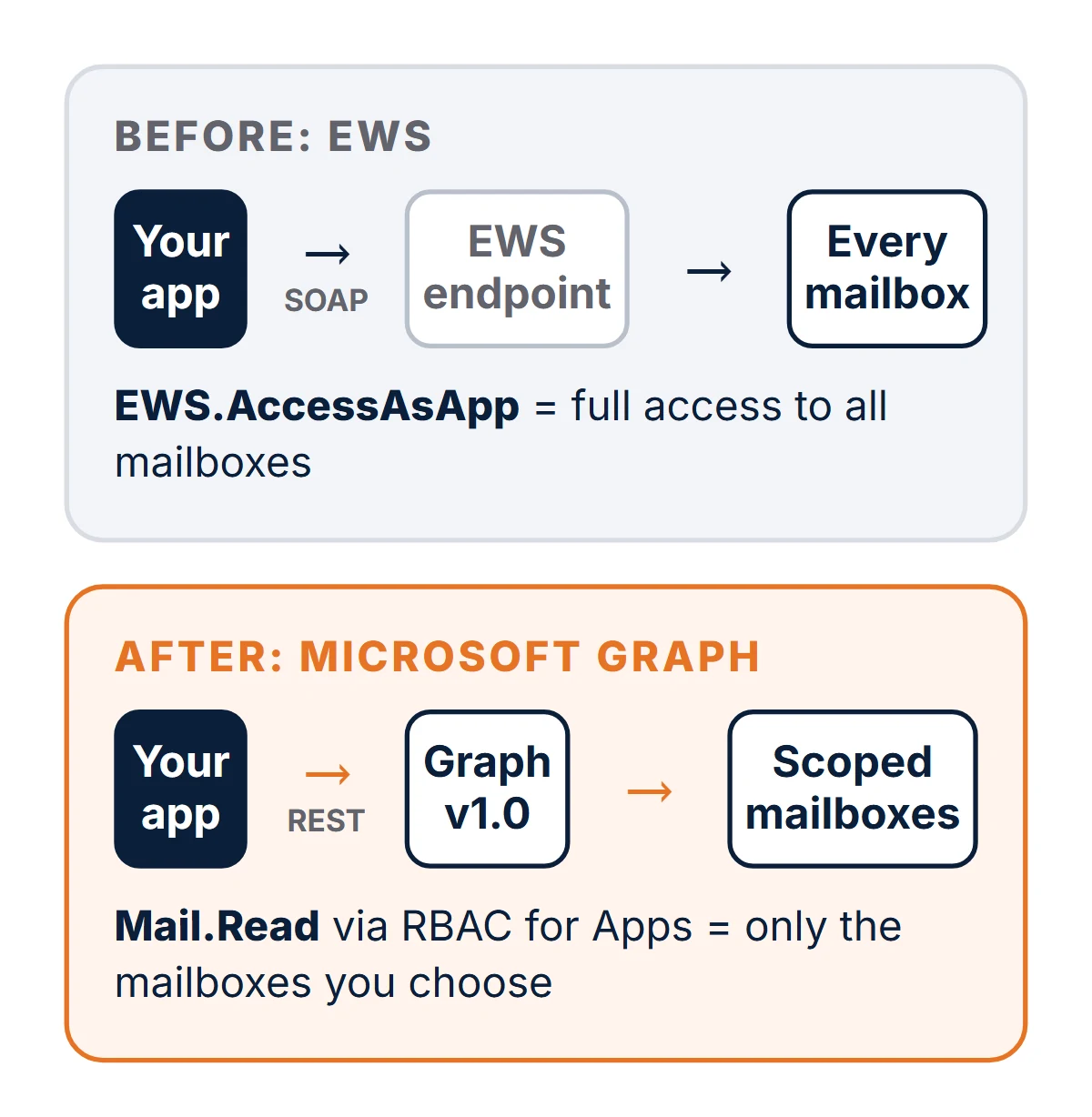
| EWS app today | Graph app after migration | |
|---|---|---|
| Endpoint | https://outlook.office365.com/EWS/Exchange.asmx | https://graph.microsoft.com/v1.0 |
| Protocol | SOAP / XML | REST / JSON |
| Token scope | https://outlook.office365.com/.default | https://graph.microsoft.com/.default |
| Typical permission | EWS.AccessAsApp (all mailboxes) | Mail.Read, Mail.Send, Calendars.ReadWrite… |
| Limit to some mailboxes | Application Access Policy | RBAC for Applications in Exchange Online (replaces Application Access Policies) |
| Acting for a mailbox | ImpersonatedUserId header | Mailbox in the URL: /users/{id}/… |
To scope a Graph app to, say, the finance mailboxes only, register its service principal in Exchange and assign an application role over a management scope:
Connect-ExchangeOnline

# AppId and ObjectId come from Entra ID > Enterprise applications (not App registrations)
New-ServicePrincipal -AppId <app-id> -ObjectId <enterprise-app-object-id> -DisplayName "Invoice reader"

New-ManagementScope -Name "Finance mailboxes" -RecipientRestrictionFilter "Department -eq 'Finance'"

New-ManagementRoleAssignment -App <enterprise-app-object-id> -Role "Application Mail.Read" -CustomResourceScope "Finance mailboxes"

# Check what the app can reach
Test-ServicePrincipalAuthorization -Identity "Invoice reader" -Resource invoices@contoso.com
One catch Microsoft calls out: RBAC grants add to anything consented in Entra ID. If the app also holds tenant-wide Mail.Read in Entra, the scope does nothing, so remove that consent. Permission changes are cached for 30 minutes to 2 hours.
What does the code change look like?
A typical case: a service that reads unread messages with attachments from a shared invoices mailbox. With the EWS Managed API in C#:
// Before: EWS Managed API
var service = new ExchangeService(ExchangeVersion.Exchange2013_SP1)
{
    Url = new Uri("https://outlook.office365.com/EWS/Exchange.asmx"),
    Credentials = new OAuthCredentials(token), // scope: https://outlook.office365.com/.default
    ImpersonatedUserId = new ImpersonatedUserId(ConnectingIdType.SmtpAddress, "invoices@contoso.com")
};

var filter = new SearchFilter.SearchFilterCollection(LogicalOperator.And,
    new SearchFilter.IsEqualTo(EmailMessageSchema.IsRead, false),
    new SearchFilter.IsEqualTo(ItemSchema.HasAttachments, true));

FindItemsResults<Item> found = service.FindItems(WellKnownFolderName.Inbox, filter, new ItemView(50));
foreach (EmailMessage mail in found.Items.OfType<EmailMessage>())
{
    mail.Load(new PropertySet(ItemSchema.Attachments));
    foreach (FileAttachment file in mail.Attachments.OfType<FileAttachment>())
    {
        file.Load();
        Save(file.Name, file.Content);
    }
    mail.IsRead = true;
    mail.Update(ConflictResolutionMode.AlwaysOverwrite);
}
The same job with the Microsoft Graph .NET SDK (v5) and Azure.Identity:
// After: Microsoft Graph SDK
var credential = new ClientSecretCredential(tenantId, clientId, clientSecret); // or a certificate
var graph = new GraphServiceClient(credential, new[] { "https://graph.microsoft.com/.default" });
var mailbox = graph.Users["invoices@contoso.com"];

var page = await mailbox.MailFolders["inbox"].Messages.GetAsync(r =>
{
    r.QueryParameters.Filter = "isRead eq false and hasAttachments eq true";
    r.QueryParameters.Select = new[] { "id", "subject", "from", "receivedDateTime" };
    r.QueryParameters.Top = 50;
});

foreach (var mail in page.Value)
{
    var files = await mailbox.Messages[mail.Id].Attachments.GetAsync();
    foreach (var file in files.Value.OfType<FileAttachment>())
        Save(file.Name, file.ContentBytes);

    await mailbox.Messages[mail.Id].PatchAsync(new Message { IsRead = true });
}
Same shape, fewer moving parts: the mailbox is in the URL, the filter is OData, and the attachment bytes arrive in one call. Not using .NET? The raw request is plain HTTP, so Python, Node.js or PowerShell code ports the same way:
GET https://graph.microsoft.com/v1.0/users/invoices@contoso.com/mailFolders/inbox/messages
    ?$filter=isRead eq false and hasAttachments eq true
    &$select=id,subject,from,receivedDateTime&$top=50
Authorization: Bearer <app token for https://graph.microsoft.com/.default>
What if Graph cannot do what we need?
Microsoft publishes a roadmap of EWS features still missing from Graph, with target dates that "might change". If a capability is not on that list, Microsoft says not to plan on it arriving before EWS is disabled.
| Gap | Microsoft's status (Nov 2026) |
|---|---|
| Import and export of archive, public folder and group mailbox items | Target Q4 2026 |
| Read and manage items in an existing In-Place Archive | Target Q4 2026 |
| Notes (sticky notes) | Target Q3 2026 |
| Personal contact lists and extra contact properties | Target Q3 2026 |
| User configuration objects (folder-associated items) | Target Q4 2026 |
| Report message as junk or phishing; mark all as read; non-draft MIME create | Target Q4 2026 |
| Exchange Admin API for folder permissions and mailbox settings | Target Q4 2026 |
| Generic public folder create, read, update, delete | Will not be added |
| Generic Microsoft 365 group mailbox folder and item access | Will not be added (use group conversations APIs) |
| Legacy discovery mailbox access | Will not be added (use Microsoft Purview eDiscovery) |
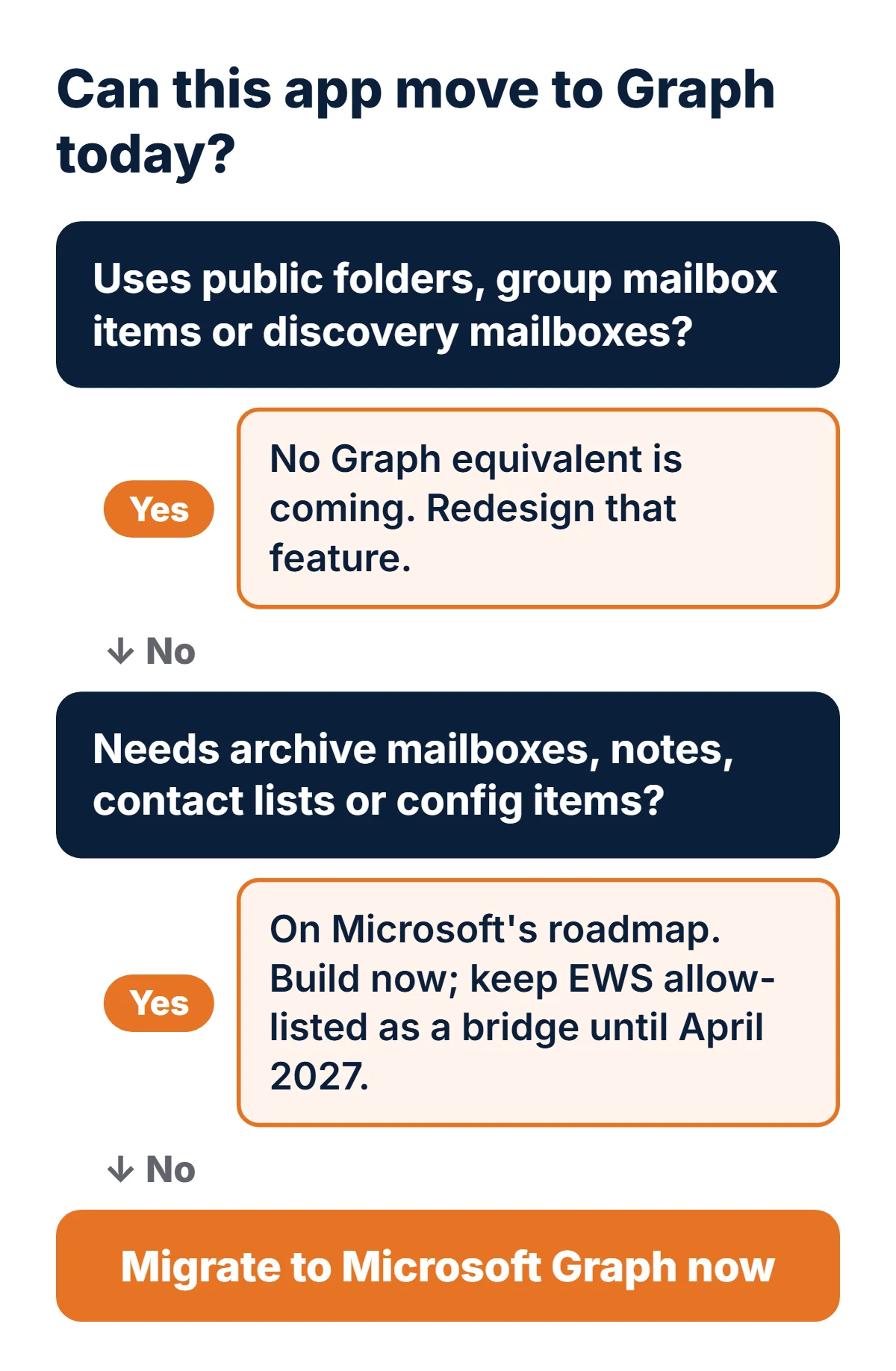
Note the dates: several roadmap items target quarters that are ending or already over. Check the live page before you rely on one, and test it in a non-production tenant before you switch.
How long will an EWS to Graph migration take?
The figures below are our estimates for planning, not Microsoft's, and assume the app has a separate data-access layer. Code that scatters EWS calls through the UI takes longer.
| What the app does | Typical examples | Estimate (ours) |
|---|---|---|
| One job against one or two mailboxes | Read an inbox, save attachments, mark as read, send a reply | 3 to 8 working days, including tests |
| Line-of-business integration | CRM or ERP mail and calendar sync, room booking, push notifications, stored item IDs | 2 to 5 weeks |
| Mailbox-heavy product | Archiving, backup, journaling, multi-tenant SaaS, public folders | 6 to 12+ weeks, and may hit roadmap gaps |
What this means if you own the business
If a process depends on reading or sending from a mailbox, assume it stops on April 1, 2027 unless someone has confirmed otherwise. Ask IT for the list of EWS apps this week, put an owner and a date against each, and get vendors' Graph release dates in writing. Re-enabling EWS is a stopgap, not a plan.
What this means if you run the code
Inventory first, then migrate the data-access layer behind an interface so the switch is one deployment. Convert stored IDs with translateExchangeIds, replace EWS notifications with delta queries or Graph subscriptions, scope permissions with RBAC for Applications, and run old and new side by side against a test mailbox before you cut over.
A plan for the 19 weeks to April 1, 2027
- This week: pull the EWS usage report and Entra app list; run the code search on every repository.
- Week 2: classify each app with the decision tree above: migrate now, wait for a roadmap API, or redesign.
- Weeks 2 to 3: if something business-critical is already blocked, re-enable EWS with a strict app ID allow list so the business keeps running.
- Weeks 3 to 12: rewrite in priority order: anything customer-facing or money-related first.
- Weeks 12 to 16: run old and new side by side, then cut over and remove the app from the allow list.
- By mid-March 2027: set
EWSEnabledto False yourself, so anything you missed fails while you still have two weeks to react.
Frequently asked questions
Is Exchange Web Services already turned off?
For most Exchange Online tenants, yes. From October 1, 2026, Microsoft switched tenants that were still on the default setting to EWSEnabled = False, which blocks EWS. Tenants whose admin set EWSEnabled to True with an app allow list kept EWS for the listed apps. On April 1, 2027, EWS is disabled for everyone, with no exceptions.
Does the EWS shutdown affect Exchange Server on-premises?
No. Microsoft says EWS is not being retired in Exchange Server on-premises. The shutdown covers Exchange Online in Microsoft 365. In a hybrid setup, code that reaches mailboxes hosted in Exchange Online must move to Microsoft Graph.
What error does an app get when EWS is blocked?
Exchange Online returns HTTP 403 Forbidden with an X-EWS-Policy-Reason header. The value is either 'EWS is disabled for this user or tenant' or 'EWS is blocked by policy for this user or tenant'. Inspect the header rather than the response body.
Can we just re-enable EWS and deal with it later?
Only until April 1, 2027. An admin can set EWSEnabled back to True and add the app's ID to the allow list, which usually takes effect within an hour, and allow-list changes can take up to 24 hours. After April 1, 2027 that setting no longer works, so treat re-enabling as a bridge while the Graph version is built.
Is there a Microsoft Graph equivalent for every EWS operation?
No. Most mail, calendar, contacts, folder, attachment, rule and notification operations map directly. Microsoft lists remaining gaps on a roadmap, including archive mailboxes, notes and user configuration objects, and confirms that generic public folder access, generic Microsoft 365 group mailbox access and discovery mailbox access will not be added to Graph.
How long does an EWS to Graph migration take?
In our estimate, a small script that reads one inbox takes days, a line-of-business integration with mail and calendar sync takes two to five weeks, and a mailbox-heavy product can take two to three months. The real figure depends on how many EWS calls the code makes and whether it touches a feature Graph does not cover yet.
Need the rewrite done? We move EWS integrations to Microsoft Graph for businesses in the US, UK, Canada and Australia, starting with an inventory of your EWS calls and a fixed quote. See our software integration services and application modernization services, read how we built a Microsoft 365 helpdesk agent, or see our .NET work. Running older .NET too? Read whether .NET 8 is still safe after November 2026.

Nikit Nandan
Strategy Director
Nikit is experienced in conducting in-depth research to stay abreast of industry trends and emerging technologies.