Short answer. Not in a panic, but yes, plan it. Since 6 February 2026 Heroku runs on a "sustaining engineering model": your apps, pipelines and add-ons keep working and card-paying customers saw no price change, but Heroku is not adding features and no longer sells Enterprise contracts to new customers. If Heroku is where your product lives for the next three years, use 2027 to move to AWS or Azure (for compliance and scale) or to Render, Railway or Fly.io (for the closest day-to-day experience).
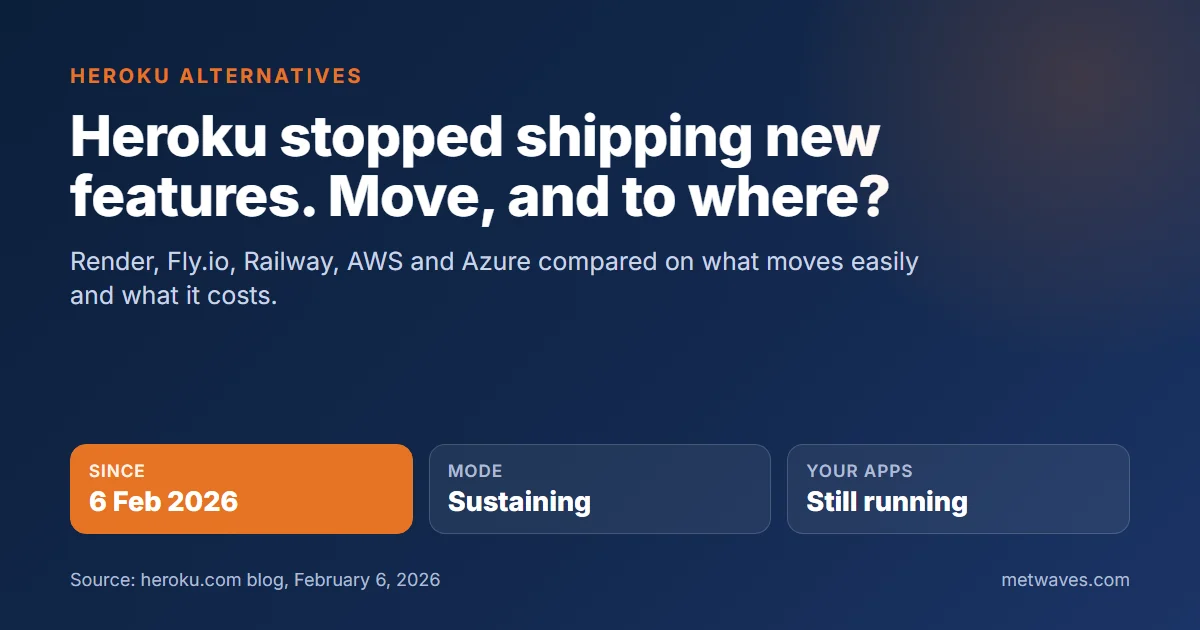
- Announced6 February 2026, in Heroku's post "An Update on Heroku"
- What changedSustaining engineering: "stability, security, reliability, and support", not new features
- Enterprise"Enterprise Account contracts will no longer be offered to new customers"; existing ones are honoured and may renew
- Pay-by-card customers"No changes to pricing, billing, service, or day-to-day usage"
- Shutdown dateNone announced
Quotes are from Heroku's announcement. Prices in this article are from each vendor's own pricing page, checked on 21 November 2026.
What did Heroku actually announce?
Heroku said it is "transitioning to a sustaining engineering model focused on stability, security, reliability, and support", with "an emphasis on maintaining quality and operational excellence rather than introducing new features." It also said "core platform functionality, including applications, pipelines, teams, and add-ons, is unaffected."
Read plainly: Heroku is not going away on a date, and it will keep the lights on and the patches flowing. What you lose is a roadmap. New runtime features, new database capabilities and new regions are not what the platform is now for. For a business, the question is less "is Heroku safe today" and more "do we want our product on a platform its owner has stopped investing in".
Should we migrate off Heroku now?
| Your situation | Our recommendation | Why |
|---|---|---|
| Enterprise contract renewing in the next 12 months | Plan the move before renewal | Renewal is your leverage and your deadline; Enterprise is closed to new customers |
| Customers asking for SOC 2, HIPAA or data residency evidence | Move to AWS or Azure in 2027 | You get the controls, regions and audit tooling you will be asked about |
| Bill above about $1,000 a month | Price the move now | Container platforms usually cost less for the same memory, and the gap grows with scale |
| Small app on Eco or Basic dynos, stable, few changes | Stay for now, write an exit plan | The app runs and the move would cost more than it saves this year |
| Product still growing, new features every sprint | Move within two to three quarters | You want a platform that will add what you need next |
What does Heroku cost today?
Heroku's pricing page lists these monthly prices for the common Cedar-generation dynos and data plans:
| Item | Plan | Price per month |
|---|---|---|
| Dyno | Eco / Basic | $5 / $7 |
| Dyno | Standard-1X / Standard-2X | $25 / $50 |
| Dyno | Performance-M / Performance-L | $250 / $500 |
| Heroku Postgres | Essential-0 / Essential-1 / Essential-2 | $5 / $9 / $20 |
| Heroku Postgres | Standard-0 / Standard-2 | $50 / $200 |
| Key-Value Store (Redis) | Mini / Premium 0 | $3 / $15 |
A common small-business production setup, two Standard-2X web dynos, one Standard-1X worker, Standard-0 Postgres and Premium 0 Key-Value Store, comes to $190 a month before add-ons.
How do the Heroku alternatives compare?
One correction to many "Heroku alternatives" lists: AWS App Runner, the usual "Heroku on AWS" answer, is no longer open to new customers. AWS now recommends Amazon ECS Express Mode instead, which builds an ECS service on Fargate with a load balancer and autoscaling from one command and adds no charge of its own (AWS notice).
| Platform | Model | Entry pricing (list) | Postgres | Moves easily | Watch out for |
|---|---|---|---|---|---|
| Render | Managed services from Git or image | Web service 0.5 CPU / 512 MB $7; 1 CPU / 2 GB $25; Pro workspace $25 a month | Managed, from $6 a month | Web, worker, cron and Postgres map almost one to one | Free instances sleep after 15 minutes idle; free Postgres expires after 30 days |
| Railway | Usage-based services | Hobby $5 (includes $5 usage); Pro $20 per workspace; about $10 per GB RAM and $20 per vCPU a month | Runs as a service you deploy | Builds from source; good for small teams | Usage billing varies month to month; set limits |
| Fly.io | Micro-VMs ("Machines") in many regions | shared-cpu-1x 512 MB about $3.69 a month; no free tier for new organisations | Managed Postgres from $38 a month | Apps that benefit from running close to users | More infrastructure decisions than Heroku; Dockerfile-centric |
| AWS: ECS Express Mode on Fargate | Containers in your own AWS account | Fargate about $0.0405 per vCPU-hour and $0.00445 per GB-hour (us-east-1), plus the load balancer | Amazon RDS or Aurora PostgreSQL | Any container; IAM, VPC and compliance tooling | You own networking, IAM and cost controls |
| Azure Container Apps | Serverless containers | Free grant of 180,000 vCPU-seconds, 360,000 GiB-seconds and 2 million requests per subscription per month | Azure Database for PostgreSQL Flexible Server | Containers, jobs, scale to zero | Learning Azure's networking and identity model |
Sources: Render pricing, Render free tier, Railway pricing, Fly.io pricing, AWS Fargate pricing, Azure Container Apps pricing. Fargate hourly figures are our conversion of AWS's per-second rates.
A rough comparison for one always-on service with 1 vCPU and 2 GB of memory: a Standard-2X dyno has 1 GB for $50; Render's 1 CPU / 2 GB service is $25; Railway's usage rates come to about $40; a Fargate task of that size is about $36 a month before the load balancer. These are list prices for compute only, and our arithmetic; your bill also has data, egress and support.
What moves easily from Heroku, and what doesn't?
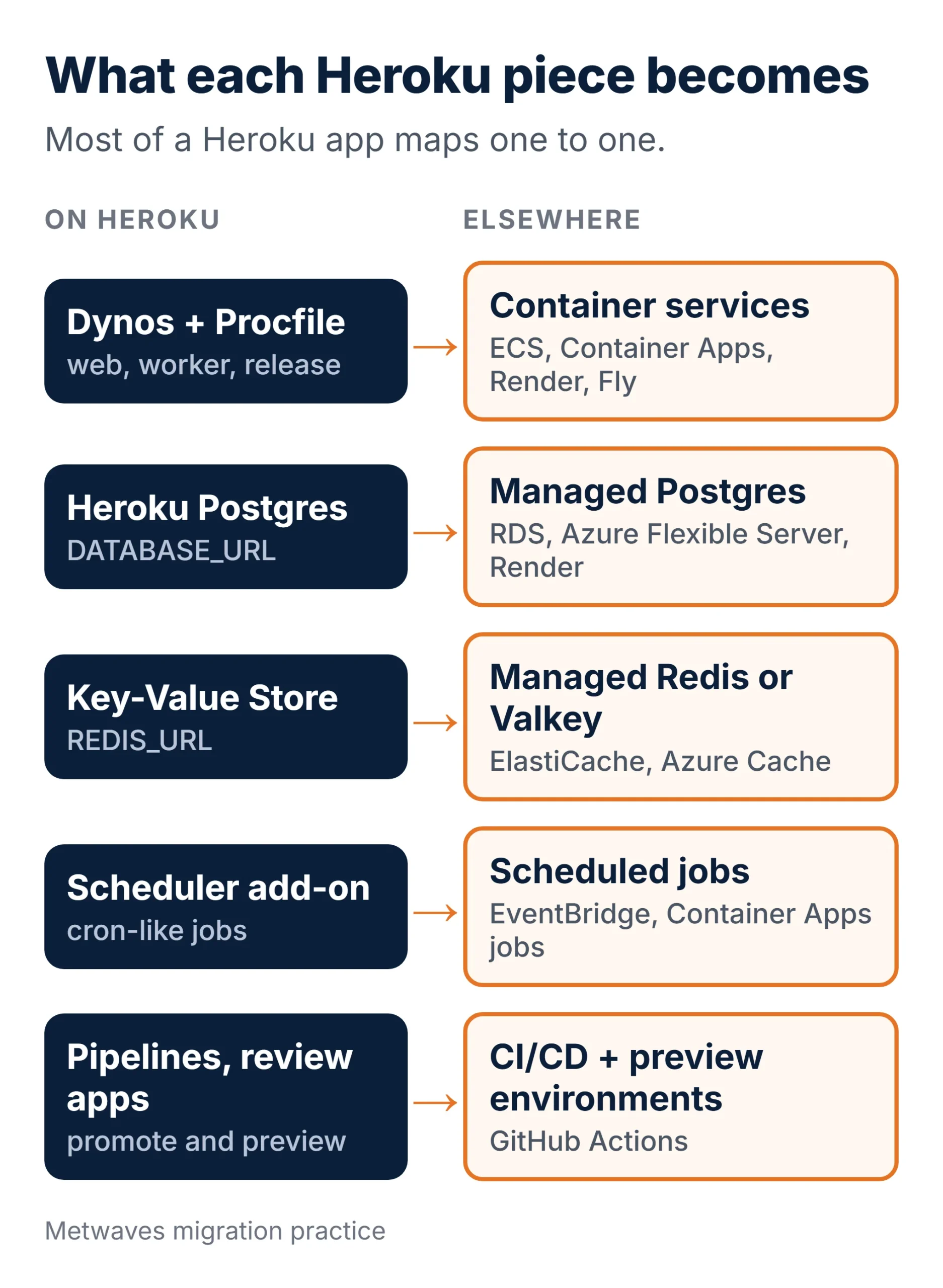
Heroku apps follow the twelve-factor pattern Heroku itself popularised, which is good news: configuration lives in environment variables, processes are stateless and the database is a URL. The parts that need attention:
- Buildpacks. Heroku builds your code with buildpacks. You can keep that build exactly with Cloud Native Buildpacks and Heroku's own builder image, which produces a standard container any platform can run.
- The Procfile. Each line (
web,worker,release) becomes a service, a worker service and a pre-deploy step on the new platform. $PORT. Heroku tells the app which port to listen on. Most platforms let you setPORTto match the port they route to.- Add-ons. Each one is a separate contract: logging (Papertrail and similar), email, search, monitoring.
List them with
heroku addonsand decide: keep the vendor directly, or replace it with the cloud's service. - Heroku Scheduler. Becomes Render cron jobs, Container Apps jobs or Amazon EventBridge Scheduler.
- Router behaviour. Heroku ends requests that run past 30 seconds and restarts dynos daily. Code that grew around those limits keeps working elsewhere; code that relied on them (for example, memory leaks cleared by the daily restart) may surface.
What should you check before leaving Heroku?
A short pre-flight list catches the problems that turn a two-day move into a two-week one:
- Heroku Connect. If the app syncs Salesforce data into Postgres with Heroku Connect, there is no drop-in equivalent elsewhere. Budget for an integration (Salesforce APIs, change data capture or an integration platform) before anything else.
- Release phase. A
release:line in the Procfile usually runs database migrations. Make sure the new platform runs that step once per deploy, before new instances take traffic. - Connection pooling. Apps that relied on Heroku's PgBouncer setup need a pooler or a connection limit on the new database, or they will hit "too many connections" under load.
- Redis TLS settings. Heroku's Redis endpoints use self-signed certificates, so many apps turned certificate checks off in their Redis client. On a managed Redis or Valkey service with a proper certificate, turn verification back on.
- Logs and alerts. Log drains and add-on alerts stop the moment you switch. Set up the replacement (CloudWatch, Azure Monitor, or the vendor directly) and test an alert before cutover.
- Custom domains and certificates. Heroku's automated certificates do not move. Issue new ones on the target (AWS Certificate Manager, App Service or Container Apps managed certificates, or the platform's own) before DNS changes.
- Review apps and pipelines. Decide whether preview environments per pull request matter to your team. Render offers them; on AWS or Azure they are a CI/CD job you build once.
How do you move a Heroku app, step by step?
For a typical app with one Postgres database, these are the commands we start from:
# 1. Export configuration (review it: it contains secrets)
heroku config -s -a my-app > heroku.env

# 2. Build the same image Heroku would build, with Cloud Native Buildpacks
pack build registry.example.com/my-app:1.0.0 --builder heroku/builder:24 --publish

# 3. Copy the database (during a maintenance window for the final run)
heroku maintenance:on -a my-app
heroku pg:backups:capture -a my-app
curl -o latest.dump "$(heroku pg:backups:url -a my-app)"
pg_restore --verbose --clean --no-acl --no-owner -d "$NEW_DATABASE_URL" latest.dump
Then deploy the image. On Azure Container Apps:
az containerapp up --name my-app --resource-group rg-my-app \
  --image registry.example.com/my-app:1.0.0 --target-port 8080 --ingress external \
  --env-vars PORT=8080
Add DATABASE_URL and the other values from heroku.env as Container Apps secrets, not plain
environment variables, and reference them from the app's settings.
On AWS, ECS Express Mode takes the same image with aws ecs create-express-gateway-service, an
execution role and an infrastructure role, and creates the Fargate service, load balancer and scaling for you. Test
on the platform's default URL, lower your DNS TTL, then switch the custom domain and turn maintenance mode off.
Effort, as our estimates for apps with source code and a working test suite:
| App shape | Typical effort | Downtime at cutover |
|---|---|---|
| One web process and Postgres under 10 GB | 2 to 5 days | Minutes, for the final database copy |
| Web, workers, scheduler, Postgres and Redis, several add-ons | 1 to 3 weeks | Under an hour with rehearsal |
| Several apps, Private Spaces, Shield, large databases | 4 to 8 weeks | Near zero with logical replication, planned per database |
What if you decide to stay on Heroku for now?
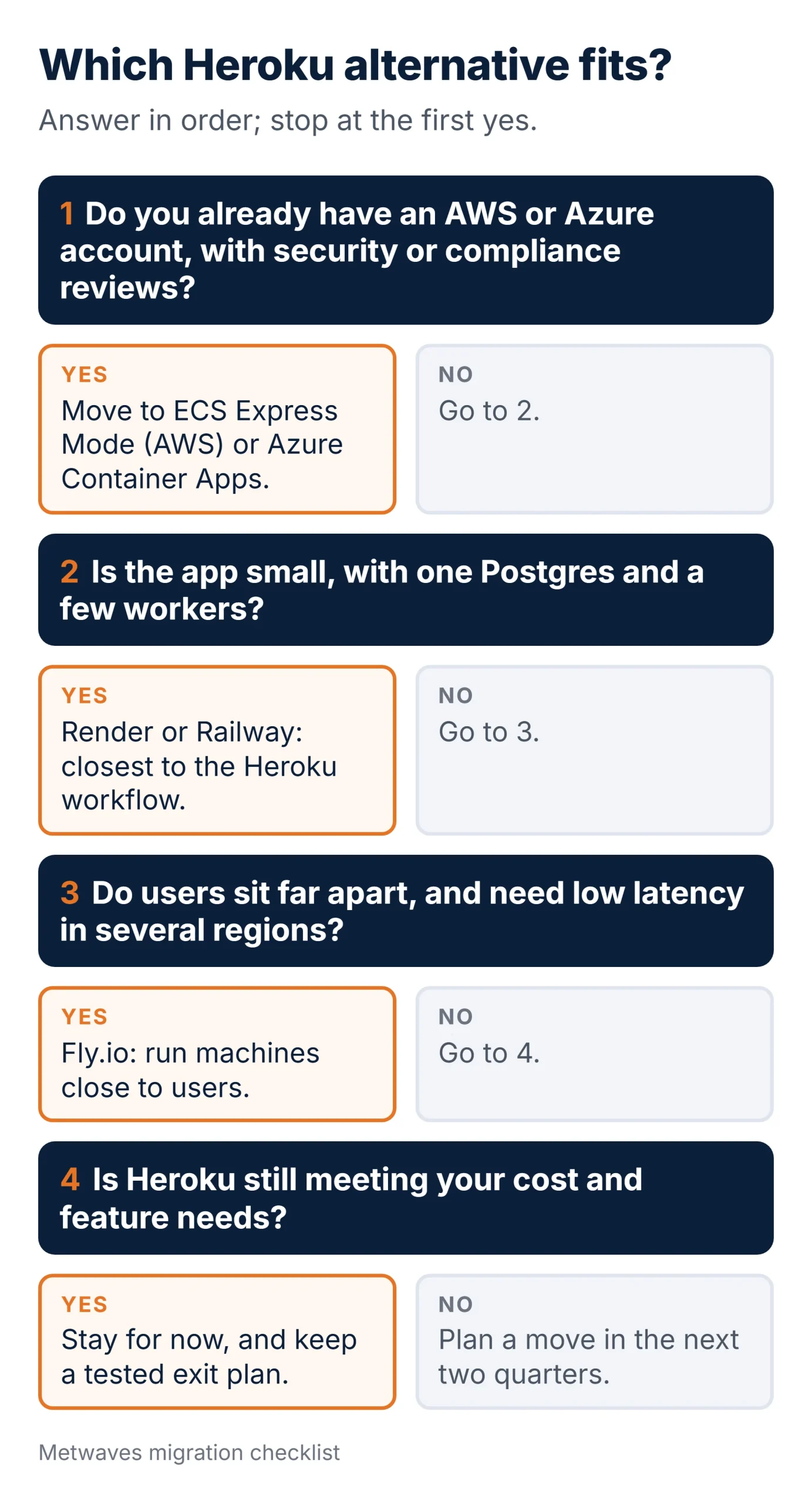
Staying is a reasonable choice for a stable app on a small plan. Make it a deliberate one, with an exit you could use at short notice:
- Keep the app buildable as a container with Cloud Native Buildpacks, and build it in CI every week so the path stays tested.
- Download a Postgres backup every month and restore it somewhere else, to prove the data can leave.
- Avoid adding new Heroku-only features or add-ons that have no equivalent elsewhere.
- Review the decision every six months, and at every contract renewal.
What this means for you: owner
No emergency, but a decision. If you are on an Enterprise contract or face security reviews, book the migration before renewal. If you are on a small card-paid plan, write the exit plan now and move when it pays back.
What this means for you: developer
Build the app with pack and heroku/builder:24 today and run the image locally. If that
works, half the migration is done. List add-ons and the 30-second and daily-restart assumptions in the code.
Frequently asked questions
Is Heroku shutting down?
No. On February 6, 2026, Heroku moved to a sustaining engineering model focused on stability, security, reliability and support. Apps, pipelines, teams and add-ons keep working and no shutdown date has been announced.
Did Heroku pricing change in 2026?
Not for customers who pay by credit card: Heroku said there would be no changes to pricing, billing, service or day-to-day usage. Enterprise contracts are no longer offered to new customers, while existing ones are honoured.
What is the closest alternative to Heroku?
Render and Railway are closest to Heroku's day-to-day workflow: deploy from Git, managed Postgres, web and worker services. AWS ECS Express Mode and Azure Container Apps suit teams that need their own cloud account for compliance and scale.
Can I still use AWS App Runner as a Heroku replacement?
Not if you are a new App Runner customer. AWS closed App Runner to new customers and recommends Amazon ECS Express Mode, which creates a Fargate service, load balancer and autoscaling from a container image.
How do I move Heroku Postgres to another provider?
Capture a backup with heroku pg:backups:capture, download it with heroku pg:backups:url, and load it with pg_restore into the new database. For large databases with little downtime allowed, use logical replication and a short final switch.
How long does a Heroku migration take?
As an estimate, a single web app with Postgres takes 2 to 5 days, an app with workers, Redis and several add-ons 1 to 3 weeks, and several apps with Private Spaces or Shield 4 to 8 weeks, including testing and a rehearsed cutover.
Need a hand? We move Heroku apps to AWS and Azure for businesses in the US, UK, Canada and Australia: an inventory of dynos, add-ons and data, a fixed quote, then a rehearsed cutover. See our cloud migration consulting, AWS and Azure pages, and our Node.js and Python teams for the code side.

Nikit Nandan
Strategy Director
Nikit is experienced in conducting in-depth research to stay abreast of industry trends and emerging technologies.