
Per second, after the first minute
Each start bills at least 60 seconds, then per second, so stopping inside the first minute saves nothing.
Cost reviews, migrations and builds on Snowflake: pipelines, dbt models, Snowpark code and Cortex AI features, in your own Snowflake account and Git repository. For businesses whose reports, data team or warehouse bill have outgrown what they run today.
Trusted by businesses across the world

Snowflake consulting services are outside help to decide whether Snowflake fits, set it up so its bill stays predictable, move your data and reporting onto it, and build on it. For a growing business the work usually starts with a one-to-two-week assessment that ends in a fixed quote, then one source-to-report path goes live before the rest. Metwaves works in your own Snowflake account and Git repository, so the account, the code and the data stay in your name.
Each of the six jobs ends with something you keep, and the engineering is delivered through our data engineering consulting services.

We read your account through a role you grant and can revoke, and trace the credits to the warehouses, queries and serverless features behind them. You get a ranked list of fixes, such as auto-suspend settings, one warehouse shared by everyone, or no resource monitor or budget. You keep it whether or not you hire us.

Tables, views, procedures and the reports on top, moved from SQL Server, Oracle, Teradata or Redshift one subject area at a time. Old and new numbers run side by side until they match; only then is the old system switched off.

Files loaded with Snowpipe as they arrive, events with Snowpipe Streaming or the Kafka connector, and database change data capture through Openflow connectors where they fit your sources.

Raw, cleaned and business-ready layers as dbt code in your repository, tested on every run, with one definition per number so the finance report and the sales dashboard agree.

Python logic that runs inside Snowflake with Snowpark, small internal apps in Streamlit, and Cortex AI features such as fields extracted from documents or questions answered from your tables. More on our generative AI page.

Roles by team, masking and row access policies on sensitive columns, and live shares to partners or customers without copying the data.
Snowflake is a managed data platform that runs on AWS, Azure or Google Cloud. It splits storage from compute, so you pay for each separately, and that split explains both its strengths and its bill.
Your tables, kept and compressed by Snowflake in “a central data repository” that every warehouse can read. Iceberg tables can keep the files in your own S3, Azure or Google Cloud storage instead.
A flat rate per terabyte, on the average stored each day across the month. Changed and deleted data kept for Time Travel and the 7-day Fail-safe adds to it.
Tables you rebuild every night do not need Fail-safe. Snowflake suggests defining short-lived tables as transient “to eliminate Fail-safe costs”.
“Each virtual warehouse is an independent compute cluster that doesn’t share compute resources with other virtual warehouses.” Loading, dbt and dashboards can each have their own.
Credits per second while a warehouse runs, after a 60-second minimum each time it starts. Serverless features such as Snowpipe run on compute Snowflake manages and use credits too.
A warehouse that never suspends bills around the clock, and one large warehouse shared by everyone hides who spends what.
“A collection of services that coordinate activities across Snowflake”: sign-in, metadata and access control.
Charged only when its daily use passes 10% of your daily warehouse use, and the adjustment never exceeds what you used.
If it shows on the bill, find the queries behind it before changing anything else.
Data coming in is free; moving it to another region or cloud is charged per terabyte. From Snowflake's documentation, read in November 2026.
What Snowflake is good at, and where it costs you
Loading, dbt runs and dashboards can each have their own warehouse on the same tables, so a heavy job does not slow the finance report, and each warehouse's credits show who spends what.
“Ongoing maintenance, management, upgrades, and tuning are handled by Snowflake.” Your team schedules no servers and no upgrades.
With Secure Data Sharing “no actual data is copied or transferred between accounts”, and the consumer pays only for the compute it uses to query. Reader accounts serve partners with no Snowflake subscription.
Credits accrue every second a warehouse runs. With auto-suspend switched off it bills all night; a 2X-Large warehouse running small queries uses 32 credits an hour where an X-Small uses 1.
Resource monitors cover warehouses only, and budgets only notify. Snowpipe, AI functions and other serverless features need a budget and someone who reads its alerts.
A warehouse's size sets how many credits it uses per hour, and each size up doubles it. What you pay depends on how long warehouses run, and these six controls decide that.
In practice: a Medium warehouse uses 4 credits an hour, so 96 credits if it runs all day and no more than 32 if it suspends outside an eight-hour working day. Snowflake's pricing page shows the price of a credit for your edition once you pick a cloud and region.
Each start bills at least 60 seconds, then per second, so stopping inside the first minute saves nothing.
Auto-suspend and auto-resume are on by default. Snowflake recommends a low value, “for example, 5 or 10 minutes or less”; the cache is dropped, so the first query after may be slower.
“Larger is not necessarily faster for smaller, more basic queries.” Queues from many users are a job for multi-cluster warehouses, which need Enterprise Edition or higher.
Resource monitors can notify, or suspend warehouses at a credit limit, but they “work for warehouses only”.
Budgets also track serverless features and AI services, but only send a notification: “for alerting and notification purposes only”.
The statement timeout defaults to two days. Setting STATEMENT_TIMEOUT_IN_SECONDS lower on each warehouse ends a bad query long before that.
Credits per hour are for first-generation standard warehouses. Gen2 standard warehouses take their rates from Snowflake's Service Consumption Table (Gen2 warehouses), and Adaptive Warehouses, generally available in select regions, use “a query-based billing model” with no size to choose (Adaptive Warehouses).

Not sure you need Snowflake at all? A one-to-two-week assessment says whether it fits before you sign anything.
Each platform described from its own documentation. All five can read open table formats; the best one is usually the one next to your data and your team.
| Platform | What its docs say it is | Storage and open formats | Fits when |
|---|---|---|---|
| Snowflake | Managed: “maintenance, management, upgrades, and tuning are handled by Snowflake.” | Its own tables, or Iceberg tables in your S3, Google Cloud or Azure storage. | Several teams or partners share data, or you want little to run on any of the three clouds. |
| Google BigQuery | “A fully managed, AI-ready data platform”; serverless, storage and compute independent. | Its own tables, or Iceberg managed tables in your Cloud Storage buckets. | You run on Google Cloud. See our Google Cloud page. |
| Databricks | “A unified, open analytics platform”; Databricks SQL “runs directly on your data lake”. | Delta Lake or Iceberg tables in your cloud account, governed by Unity Catalog. | Data engineering, machine learning and BI on one platform, with a Python and Spark team. See our Databricks page. |
| Microsoft Fabric | Analytics “delivered as a software-as-a-service (SaaS) platform”, on OneLake. | OneLake stores tables “in Delta Parquet or Iceberg format”. | You run on Microsoft 365 and Power BI. See our Microsoft Fabric page and our Azure page. |
| Amazon Redshift | “A fully managed, petabyte-scale data warehouse”; Serverless costs nothing while idle. | Its own storage; queries Iceberg in S3 Tables; zero-ETL from Aurora and RDS. | Your product and data already run on AWS. See our AWS page. |
Quotes from each vendor's documentation, read in November 2026: Snowflake, BigQuery, Databricks, Databricks SQL, Fabric, OneLake, Redshift.
Snowflake now covers loading, transformation, AI, apps and governance. Most accounts need a few of these features, not all of them.
Use it whenFiles land in cloud storage through the day. It “continuously loads data from files” as they arrive, for a fixed number of credits per GB loaded.
Skip it whenOne file a night: a scheduled load on a small warehouse is enough.
Use it whenRows or events are needed within seconds; latency is typically as low as 5 seconds. The Kafka connector is built on it.
Skip it whenNobody acts on the data within minutes.
Use it whenBuilt on Apache NiFi: change data capture from SQL Server, PostgreSQL, MySQL and Oracle, and SaaS sources such as HubSpot and Shopify.
Skip it whenA connector tool you already pay for moves the data reliably.
Use it whenYou want dbt built, tested, scheduled and observed inside Snowflake, from a workspace or a connected Git repository.
Skip it whenYour team already runs dbt elsewhere and it works.
Use it whenPython, Java or Scala code should run inside Snowflake, without moving the data out.
Skip it whenThe logic is plain SQL.
Use it whenOnly Snowflake reads the data and you want every feature, including Time Travel and Fail-safe.
Skip it whenOther engines must read the same tables.
Use it whenFiles should sit in your own S3, Azure or Google Cloud storage, open to other engines. Snowflake can be the catalog, or an external one such as AWS Glue.
Skip it whenNothing else reads the data. An external catalog also gives “limited platform support”.
Use it whenSQL should classify, extract, summarise or translate text and documents, with models from OpenAI, Anthropic, Meta, Mistral AI, DeepSeek and xAI.
Skip it whenYou need a model or tool Snowflake does not offer.
Use it whenAn assistant should answer from your documents, with “low-latency, high-quality ‘fuzzy’ search” over Snowflake data.
Skip it whenA few hundred documents and a plain keyword search would do.
Use it whenPeople should ask questions in plain English and get SQL answers from semantic views; agents combine that with Cortex Search.
Skip it whenMetrics are not yet defined once. Fix that first.
Use it whenA small internal app should work on Snowflake data without moving the data or the code out.
Skip it whenThe app faces customers and needs its own hosting and design.
Use it whenPartners or customers should query live tables with no copies; listings reach other regions, the Snowflake Marketplace or paid access.
Skip it whenThe recipient needs one file, once.
Use it when“The agentic catalog for all your data, whether it is inside or outside of Snowflake”: access, lineage and quality monitoring in one place.
Skip it whenOne team, a handful of tables, and roles by team are enough for now.
Use it whenColumns or rows must be hidden by role, such as salaries or one region's customers. Enterprise Edition or higher.
Skip it whenNo sensitive data, and roles by team are enough.
Described from Snowflake's documentation, read in November 2026; we recheck names when we write your plan.
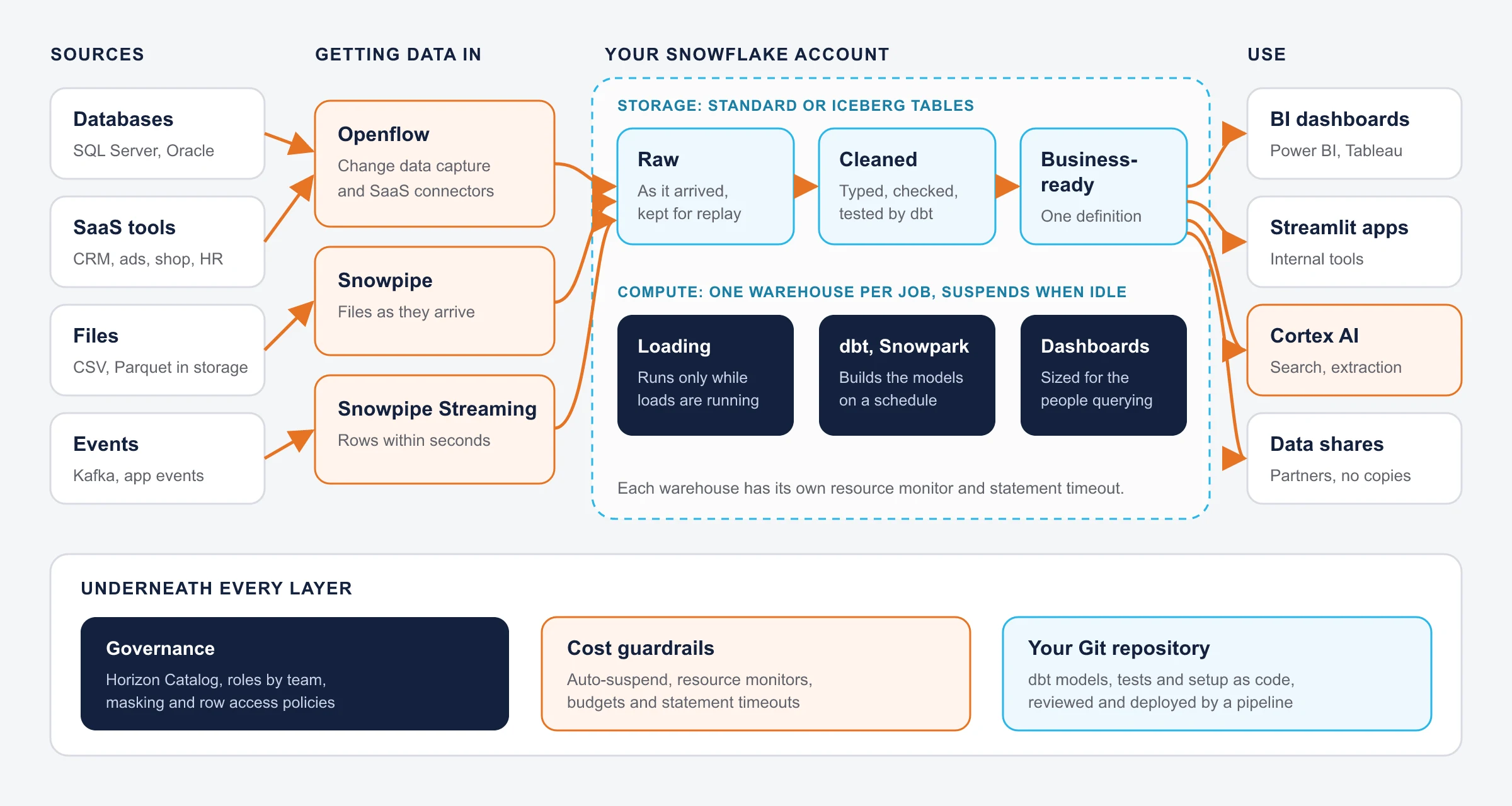
Data lands once, is refined from raw to business-ready, and is served from separate warehouses that suspend when idle. Governance, cost guardrails and version control run underneath.
Snowflake's own conversion tool handles much of the code. A person plans the rest, and the numbers decide when the old system is switched off.
| Moving from | What SnowConvert AI covers | What we plan by hand |
|---|---|---|
| SQL Server | Tables, views, stored procedures and functions, and moving the data itself | Scheduled jobs, the reports on top, and apps that write to the database |
| Oracle | Tables, views, procedures, functions and packages | Code flagged as a platform difference, scheduled jobs, and apps that call the database |
| Teradata | Tables, views and procedures, plus BTEQ, MLOAD and TPUMP scripts | The load schedule, and the order in which subject areas move |
| Amazon Redshift | Tables, views, procedures and functions, and moving the data itself | The S3 and IAM setup around it, and whether staying on Redshift costs less. See our AWS page. |
From Snowflake's SnowConvert AI documentation, which lists every one of these sources as generally available. Differences between platforms are flagged as errors, warnings and issues to resolve by hand or with its AI code conversion. Snowflake's pricing page lists free code conversion tools (Snowflake pricing).
One subject area goes live before the rest, so you see tested numbers and a real monthly bill early.
What runs today, which reports matter, and what the bill or the old warehouse costs.
Whether Snowflake fits, the warehouse layout, expected credits per month and a fixed quote for the build. You keep the plan whether or not you hire us.
One subject area live in your account, with dbt tests, alerts, resource monitors and a budget.
Old and new reports side by side until they match. Then the old one is switched off.
Runbooks for your team, or monthly monitoring, cost checks and new sources from us.
Running Snowflake is a monthly bill paid to Snowflake, separate from our work. These move it most.
Billed per second while running. Auto-suspend is on by default; check that nobody switched it off, and set it in minutes, not hours.
Loading, dbt and dashboards on one large warehouse hide who spends what. Separate warehouses can be watched and capped one by one.
Each size up doubles the credits per hour. Size up only when a query measurably needs it.
Snowpipe, Cortex AI functions and other serverless features use credits that resource monitors do not reach. Put them under a budget.
A statement can run for two days by default. A lower timeout per warehouse stops a bad query early.
Time Travel and Fail-safe keep changed data for days. Make tables you can rebuild transient.
Sources: Snowflake's Understanding cost, Warehouse considerations, Resource monitors, Budgets, Warehouse cost controls, Time Travel and Fail-safe storage documentation. The Snowflake bill is paid by you to Snowflake; we show the expected monthly credits before anything is built.
Start with an assessment, or go straight to a cost clean-up if you already run Snowflake.

One to two weeks: platform fit, warehouse layout, expected running cost, and a fixed quote for the build.

For a Snowflake bill growing faster than your data. A fixed price for the changes the assessment lists.

A fixed scope per subject area, or a dedicated data team for a longer migration.

Monitoring, cost checks and new sources each month. Time and materials, billed monthly.
Whoever you shortlist, us included, these answers show whether you will stay in control of your account.
| A good partner | A warning sign |
|---|---|
| They tell you when you do not need Snowflake, or when BigQuery, Fabric or Redshift fits you better. | Every problem is answered with another Snowflake feature. |
| The Snowflake account, the Git repository and the dbt project are yours from the first day. | The account sits under the consultant's organisation, or the code lives on their laptops. |
| They state the expected credits per month before they build, and set monitors and budgets on day one. | Nobody can say what the warehouses will cost each month once the platform is live. |
| For a migration, they show how old and new numbers will be compared before anything is switched off. | The old system is switched off on a date, not when the numbers match. |
Snowflake lists its services partners in its partner directory.
Need the pipelines built and run month to month, on Snowflake or elsewhere? That is our data engineering consulting service.
Straight answers on Snowflake cost, fit, migration and ownership.
A fit and cost assessment, migration from an older warehouse, pipelines and dbt models, Snowpark, Streamlit and Cortex AI builds, and governance. The first step is a one-to-two-week assessment that ends in a fixed quote for the build.
We do not publish a price list. The assessment ends with a fixed quote, so you know the cost before you commit. Snowflake's own bill is separate and paid by you to Snowflake: credits for warehouses and serverless features, storage per terabyte, and data moved out to other regions or clouds.
Not always. A few gigabytes, a handful of sources and one analyst can live in a PostgreSQL reporting database with dbt. Snowflake earns its cost when several teams, many sources or outside partners need one governed place. The assessment says which applies to you.
Usually the one closest to what you already run: BigQuery on Google Cloud, Fabric with Microsoft 365 and Power BI, Redshift for an AWS-only product, Databricks for heavy Python and Spark. Snowflake fits when you want little to run on any cloud, or share data with other companies.
Yes. Snowflake's SnowConvert AI converts much of the code; we plan the rest, move one subject area at a time and run old and new reports side by side until the numbers match.
You do. The Snowflake account is contracted in your name, the code lives in your Git repository, and we work through a role you grant and can revoke. We sign an NDA before you share details of your systems.
Discover IT Industry Insights and Technology Trends
 Nikit Nandan
November 24, 2026
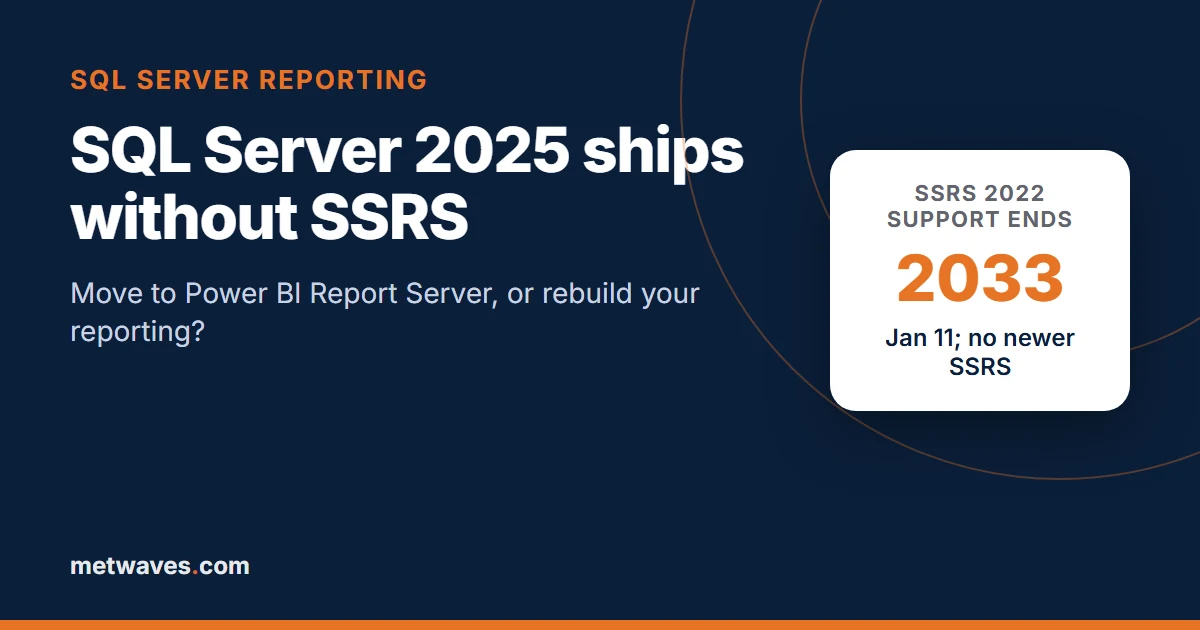
SQL Server 2025 drops SSRS in favor of Power BI Report Server, now included with Standard and Enterprise. Support dates for every SSRS version, licensing, migration steps and when to rebuild.
Learn More >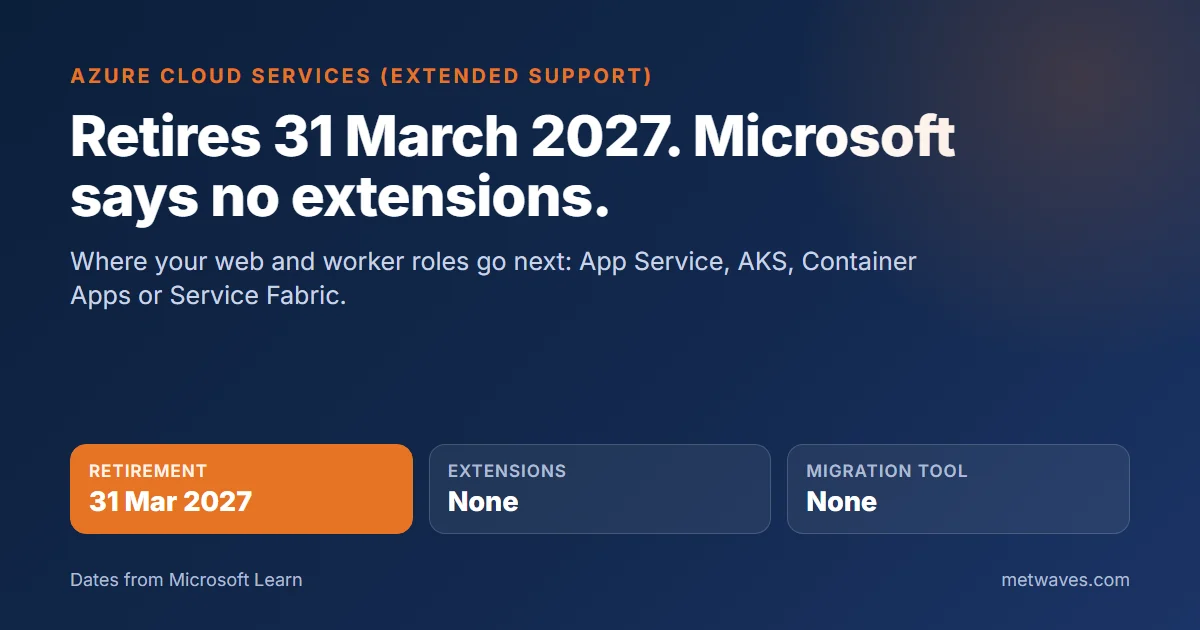 Nikit Nandan
November 24, 2026
Azure Cloud Services (extended support) retires March 31, 2027, with no extensions. How to move web and worker roles to App Service, AKS or Service Fabric.
Learn More > Nikit Nandan
November 23, 2026
Which ChatGPT plans OpenAI will sign a BAA for in 2026, what the BAA leaves out, and when patient data needs your own HIPAA-ready AI agent instead.
Learn More >
Let us help you with free analysis & estimate.
Our product expert will contact you within 12 hours.