Updated November 24, 2026. Facts are from Microsoft's Reporting Services consolidation FAQ, Power BI Report Server licensing and the Microsoft lifecycle pages.
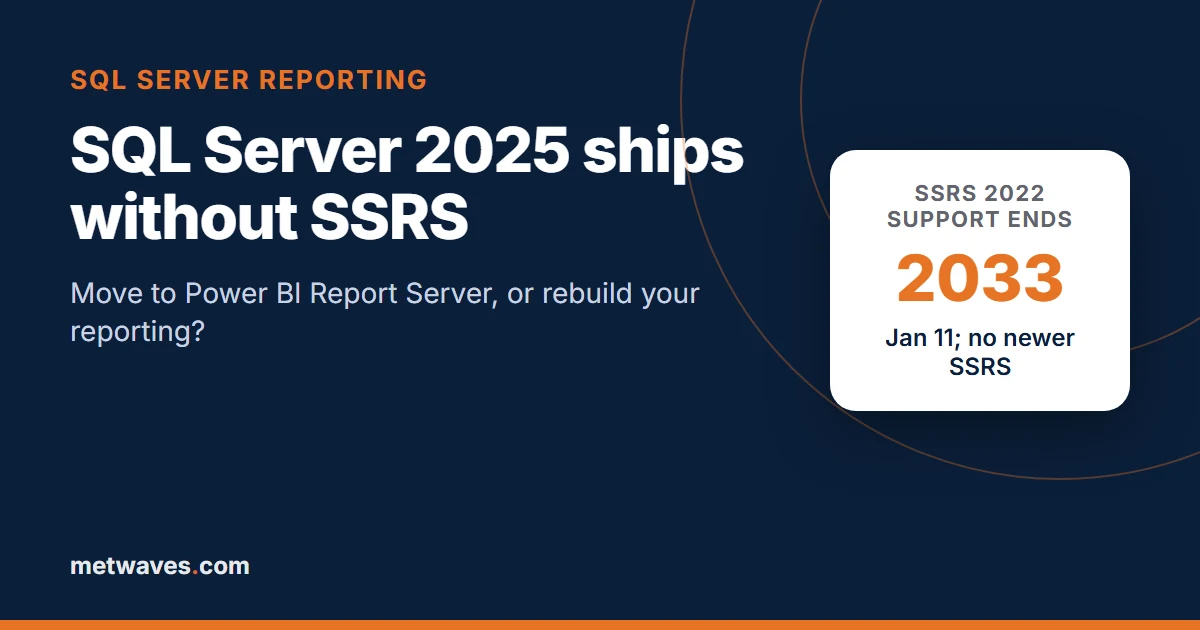
Short answer. SQL Server 2025 has no SSRS. Microsoft has folded on-premises reporting into Power BI Report Server, which now comes with SQL Server 2025 Standard and Enterprise licenses, so most businesses can move their RDL reports across with little change. SSRS 2022 stays supported until January 11, 2033, so there is no emergency, but older SSRS versions are running out of support now. Rebuild only where reports belong inside your own product or the cloud.
What changed with SQL Server 2025 and SSRS?
SQL Server Reporting Services (SSRS) has shipped with SQL Server since 2004 and runs a lot of operational reporting: invoices, statements, stock lists, management packs exported to PDF and Excel every morning. With SQL Server 2025, generally available since November 18, 2025, Microsoft stopped releasing SSRS. In its own words, it is "consolidating all on-premises reporting services under Power BI Report Server (PBIRS)".
Three facts follow from that:
- SSRS 2022 is the last SSRS. It receives security updates until January 11, 2033.
- Power BI Report Server is the replacement. It runs the same RDL paginated reports, plus interactive Power BI reports.
- Licensing got easier. PBIRS used to need Enterprise edition with Software Assurance. With SQL Server 2025 it comes with Standard edition too, and the SQL Server 2025 product key installs it.
How long is our current SSRS supported?
SSRS follows the support dates of the SQL Server release it shipped with. If you are on anything older than 2022, the clock is shorter than 2033.
| Your version | End of extended support | Status in November 2026 |
|---|---|---|
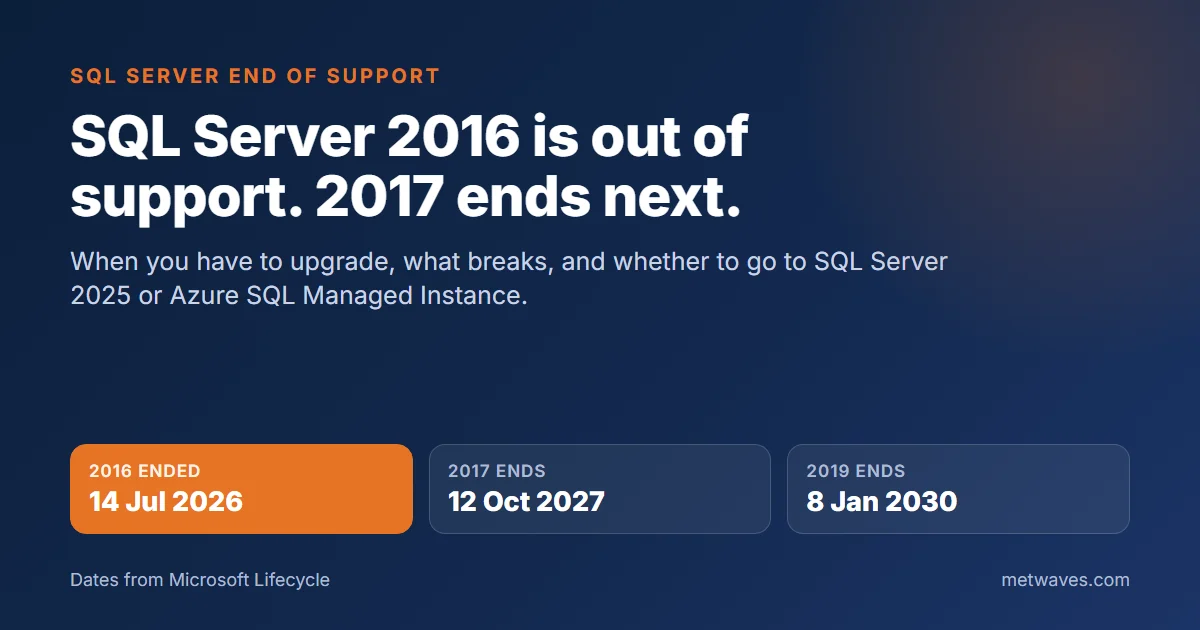
| SSRS 2016 (SQL Server 2016) | July 14, 2026 | Out of support; paid Extended Security Updates only |
| SSRS 2017 (SQL Server 2017) | October 12, 2027 | 11 months left |
| SSRS 2019 (SQL Server 2019) | January 8, 2030 | Supported, mainstream support ended |
| SSRS 2022 | January 11, 2033 | Supported; last SSRS version |
| Power BI Report Server | Modern Lifecycle | Supported while you stay on recent releases |
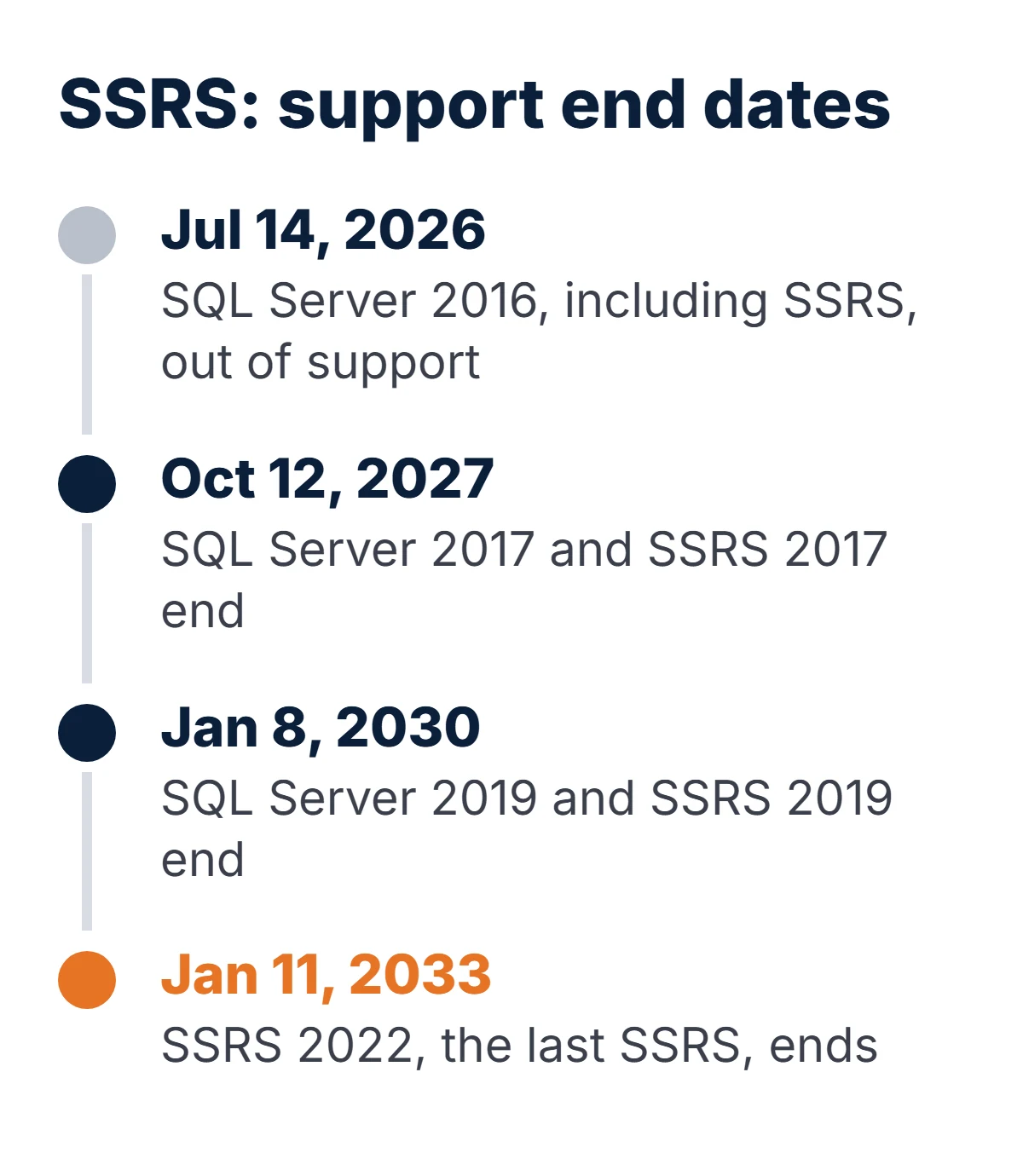
If you run SSRS 2016, the reporting server that renders your invoices is no longer patched. That is the case to deal with first.
What is Power BI Report Server, and how is it different?
Microsoft describes PBIRS as a superset of SSRS: everything SSRS does, plus Power BI reports (.pbix). Reports are still authored in Report Builder or Visual Studio, still stored in a report server database, and still delivered through a web portal and email subscriptions. The differences that matter in practice:
| SSRS 2022 | Power BI Report Server | Power BI service (cloud) | |
|---|---|---|---|
| Paginated (RDL) reports | Yes | Yes | Yes |
| Interactive Power BI reports (.pbix) | No | Yes | Yes |
| Runs on your own servers | Yes | Yes | No |
| Lifecycle | Fixed, to January 11, 2033 | Modern; three releases a year (January, May, September) | Updated monthly by Microsoft |
| Email subscriptions for paginated reports | Yes | Yes | Yes |
| Dashboards, Q&A, data alerts, real-time streaming | No | No | Yes |
| Gateway needed for on-premises data | No | No | Yes |
| License | SQL Server license | SQL Server 2025 Standard or Enterprise, Fabric F64+, or Power BI Premium P SKU | Power BI Pro ($14 per user per month) or capacity |
Sources: Microsoft's Report Server vs service comparison and Power BI pricing. The Modern Lifecycle point is the one to plan for: PBIRS has no fixed end date, but you are only supported on recent releases, so patching becomes a routine three times a year instead of once a decade.
Who is licensed to run Power BI Report Server?
| What you own | Can you run PBIRS? |
|---|---|
| SQL Server 2025 Standard or Enterprise (core licenses) | Yes, on cores up to the SQL Server cores licensed, minimum 4 per OSE |
| SQL Server 2022 or earlier, Enterprise with active Software Assurance | Yes, while SA is active |
| SQL Server 2022 or earlier, Standard edition | No; keep SSRS or upgrade the license to SQL Server 2025 |
| Microsoft Fabric F64 or larger, reserved | Yes |
| Power BI Premium P SKU | Yes (not EM SKUs, not Fabric SKUs below F64) |
Viewers do not need a Power BI Pro license on PBIRS. Under a SQL Server license, a Pro license is only needed for people who publish Power BI (.pbix) reports. Under Fabric F64, publishers of both report types need Pro.
- Key changePBIRS now comes with SQL Server 2025 Standard, not just Enterprise with Software Assurance
- Free to tryDeveloper and Evaluation editions of PBIRS install without a license key
- Last SSRSSSRS 2022, supported to January 11, 2033
- Report catalogSSRS 2022 can keep its catalog on a later SQL Server Database Engine, such as SQL Server 2025
What are the options for SSRS reports now?
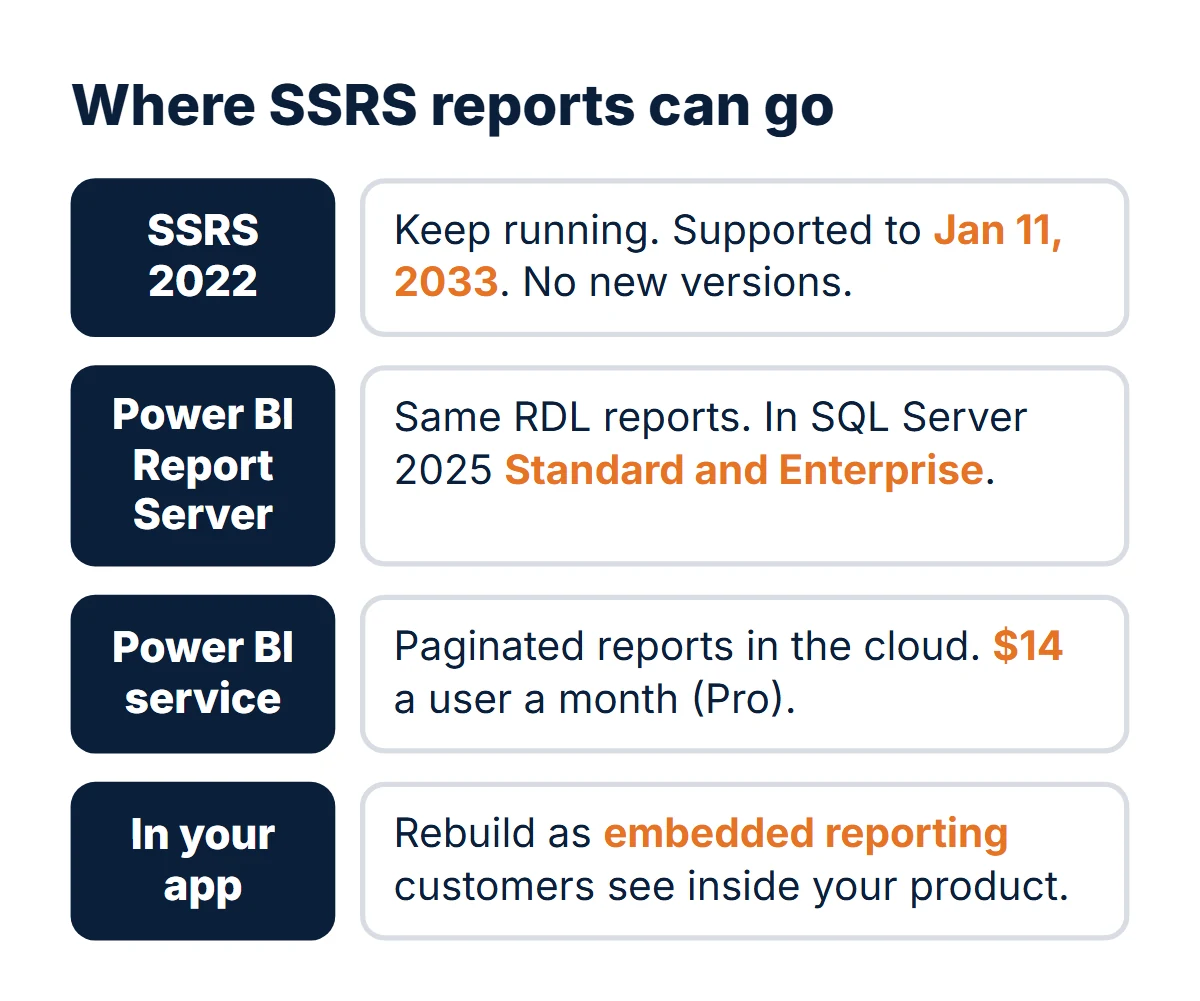
| Option | Best for | Effort (our estimate) | Watch out for |
|---|---|---|---|
| Stay on SSRS 2022 | Stable reports, SQL Server 2022 licenses, no appetite for change | Upgrade from SSRS 2016/2017/2019: 2 to 5 days | A cliff in 2033, and no new features |
| Move to Power BI Report Server | On-premises data and users; SQL Server 2025 license | 1 to 3 weeks for 50 to 300 reports | Three releases a year to keep current |
| Move to the Power BI service | Microsoft 365 shops happy to pay per user | 2 to 6 weeks, plus gateway setup | Per-user Pro cost, data leaving the building |
| Rebuild as embedded reporting | Reports your customers see inside your product | 4 to 12 weeks for a first set | Most work; most control |
How do you migrate from SSRS to Power BI Report Server?
Microsoft's migration guide supports moving an existing report server database to PBIRS. For a typical single-server install, the steps are:
- Inventory. List reports, shared data sources, subscriptions, custom assemblies and security. The catalog query below gives a usage-ranked list so you can drop reports nobody runs.
- Back up the
ReportServerandReportServerTempDBdatabases and the encryption key. - Install PBIRS on a new server (or the same one after removing SSRS) with the SQL Server 2025 key.
- Point PBIRS at the restored database in Report Server Configuration Manager; it upgrades the catalog.
- Restore the encryption key so stored credentials and connection strings still decrypt.
- Test the top reports, subscriptions and any custom code, then switch the URL or DNS name.
-- Which reports are actually used? Run against the ReportServer catalog database.
SELECT c.Path, COUNT(*) AS Runs, MAX(e.TimeStart) AS LastRun
FROM dbo.ExecutionLog3 AS e
JOIN dbo.Catalog AS c ON c.Path = e.ItemPath
WHERE e.TimeStart > DATEADD(month, -6, GETDATE())
GROUP BY c.Path
ORDER BY Runs DESC;
:: Back up the SSRS encryption key before anything else (run on the report server),
:: or use Encryption Keys > Backup in Report Server Configuration Manager
rskeymgmt -e -f D:\backup\ssrs-key.snk -p "<strong password>"
:: After PBIRS is installed and pointed at the restored database, restore the key,
:: or use Encryption Keys > Restore in Report Server Configuration Manager
rskeymgmt -a -f D:\backup\ssrs-key.snk -p "<strong password>" For moving content between servers rather than whole databases, Microsoft's open-source ReportingServicesTools PowerShell module can export and import folders, reports and data sources. Shared data source passwords do not travel in exported files, so plan to re-enter them.
What can break in an SSRS to PBIRS move?
The RDL files are compatible. The parts that live around them are where projects stall:
| Area | Risk | What to do |
|---|---|---|
| Custom code assemblies and data extensions | Built against older .NET Framework versions or SSRS internals | Rebuild and test each one; remove the ones that are no longer needed |
| Custom authentication or single sign-on | Server-level extensions must be reinstalled and may need changes | Test sign-in first, before any report |
| Subscriptions and data-driven subscriptions | SMTP settings and stored credentials | Re-check the email server settings and run every subscription once |
| Report URLs bookmarked by staff or embedded in apps | Server name or path changes | Keep the old URL with a DNS alias or redirect |
| Power BI Desktop version | PBIRS needs the Power BI Desktop build optimized for Report Server | Install that build for anyone publishing .pbix reports |
What this means if you own the business
If you are on SSRS 2016, treat this as a security fix: it has had no patches since July 14, 2026. If you are on 2019 or 2022, the question is a budget one for 2027 or 2028. Ask which of your reports actually get run; most estates are smaller than they look once unused reports are removed.
What this means if you run the code
Run the usage query, back up the encryption key, and install the free PBIRS Developer edition next to SSRS to test your heaviest reports and custom assemblies. Keep RDL in source control, and script deployments so the three PBIRS releases a year are routine.
When should you rebuild reporting instead of migrating?
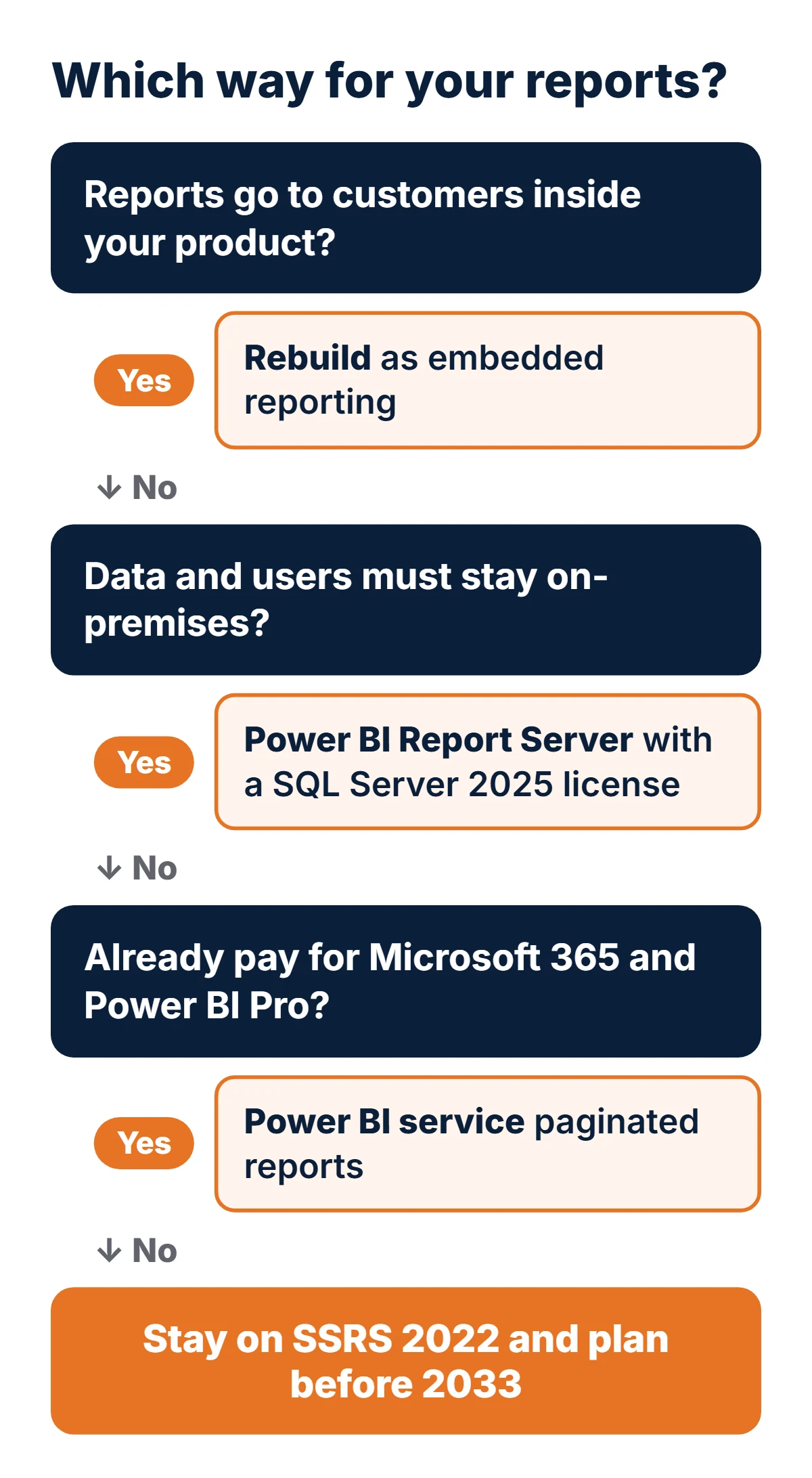
Migrating keeps what you have. Rebuild when the report is really part of a product:
- Customers or partners see the reports. A portal that opens the SSRS report viewer in a frame feels dated and is awkward to secure. Embedded reporting inside your own web app, with the same sign-in and branding, is the better experience.
- Reports need interaction: filters, drill-down, charts on phones, scheduled exports by customer.
- The data is moving to the cloud anyway. If the source database is moving to Azure SQL or a warehouse, rebuilding the reporting layer at the same time avoids doing the work twice.
For internal reporting that is staying put, migrate. Microsoft also has guidance for moving SSRS reports to the Power BI service if the cloud is the target.
What should each SSRS version do in the next 12 months?
The right first step depends on where you start. A practical plan, by version:
| Starting point | Next 3 months | Within 12 months |
|---|---|---|
| SSRS 2016 or older | Inventory reports; move the most-used ones to PBIRS (or SSRS 2022) on a patched server | Retire the old server; no reports left on SQL Server 2016 |
| SSRS 2017 | Inventory and test on the free PBIRS Developer edition | Migrate before October 12, 2027 |
| SSRS 2019 | Price SQL Server 2025 licensing at your next renewal | Migrate to PBIRS with the database move, or plan SSRS 2022 |
| SSRS 2022 | Nothing urgent; keep patching | Decide the 2033 destination when you next upgrade the database server |
| Reports shown to customers | List them separately from internal reports | Design embedded reporting inside the product |
Two things shorten every one of these projects. First, delete what nobody runs: in most estates a large share of reports have not been opened for months, and every report removed is one less to test. Second, move the report server at the same time as the database server upgrade, so you test the data layer and the reports once rather than twice.
For sizing, our rule of thumb for a PBIRS migration is a day or two of setup and cut-over, then roughly 10 to 30 minutes of testing per report that is still used, plus a day for each custom assembly or authentication extension. These are planning estimates; the usage query above tells you the real report count.
Frequently asked questions
Does SQL Server 2025 include SQL Server Reporting Services?
No. Starting with SQL Server 2025, Microsoft no longer releases new versions of SSRS. Power BI Report Server is the on-premises reporting server for SQL Server 2025, and the SQL Server 2025 Standard or Enterprise product key installs it.
How long is SSRS 2022 supported?
Until January 11, 2033, in line with SQL Server 2022. SSRS 2022 is the last version of SSRS, and Microsoft says it can keep using a later SQL Server Database Engine, such as SQL Server 2025, to host its report catalog.
Do we need Enterprise edition with Software Assurance for Power BI Report Server?
Not with SQL Server 2025. Power BI Report Server is available to customers running SQL Server 2025 Standard or Enterprise edition. For SQL Server 2022 and earlier, the right applies only to Enterprise edition core licenses with active Software Assurance. Fabric F64 or larger reserved capacity and Power BI Premium P SKUs also include it.
Will our existing RDL reports work in Power BI Report Server?
Yes. Microsoft states that existing RDL paginated reports are fully compatible with Power BI Report Server, which is a superset of SSRS. Check custom code assemblies, custom authentication, data extensions and subscriptions in testing, because those are the parts tied to the server rather than the report.
Do report viewers need a Power BI Pro license on Power BI Report Server?
No. A Pro license is not needed to view reports on Power BI Report Server. With a SQL Server license, Pro is needed only to publish Power BI (.pbix) reports. With Fabric F64 reserved capacity, Pro is needed to publish both paginated and Power BI reports.
Should we move SSRS reports to the Power BI service instead?
If your data and users are already in Microsoft 365 and you are happy to pay per user, the Power BI service runs paginated reports in the cloud and Microsoft provides migration guidance. If reports must stay on-premises, use Power BI Report Server. If customers see the reports inside your own product, consider rebuilding them as embedded reporting.
Want the reports moved, or rebuilt properly? We migrate SSRS estates to Power BI Report Server and build embedded reporting into web apps for businesses in the US, UK, Canada and Australia, starting with a usage-ranked inventory and a fixed quote. See our data engineering consulting, Microsoft Fabric consulting and application modernization services. Running .NET on the same servers? Read whether .NET 8 is still safe after November 2026.

Nikit Nandan
Strategy Director
Nikit is experienced in conducting in-depth research to stay abreast of industry trends and emerging technologies.