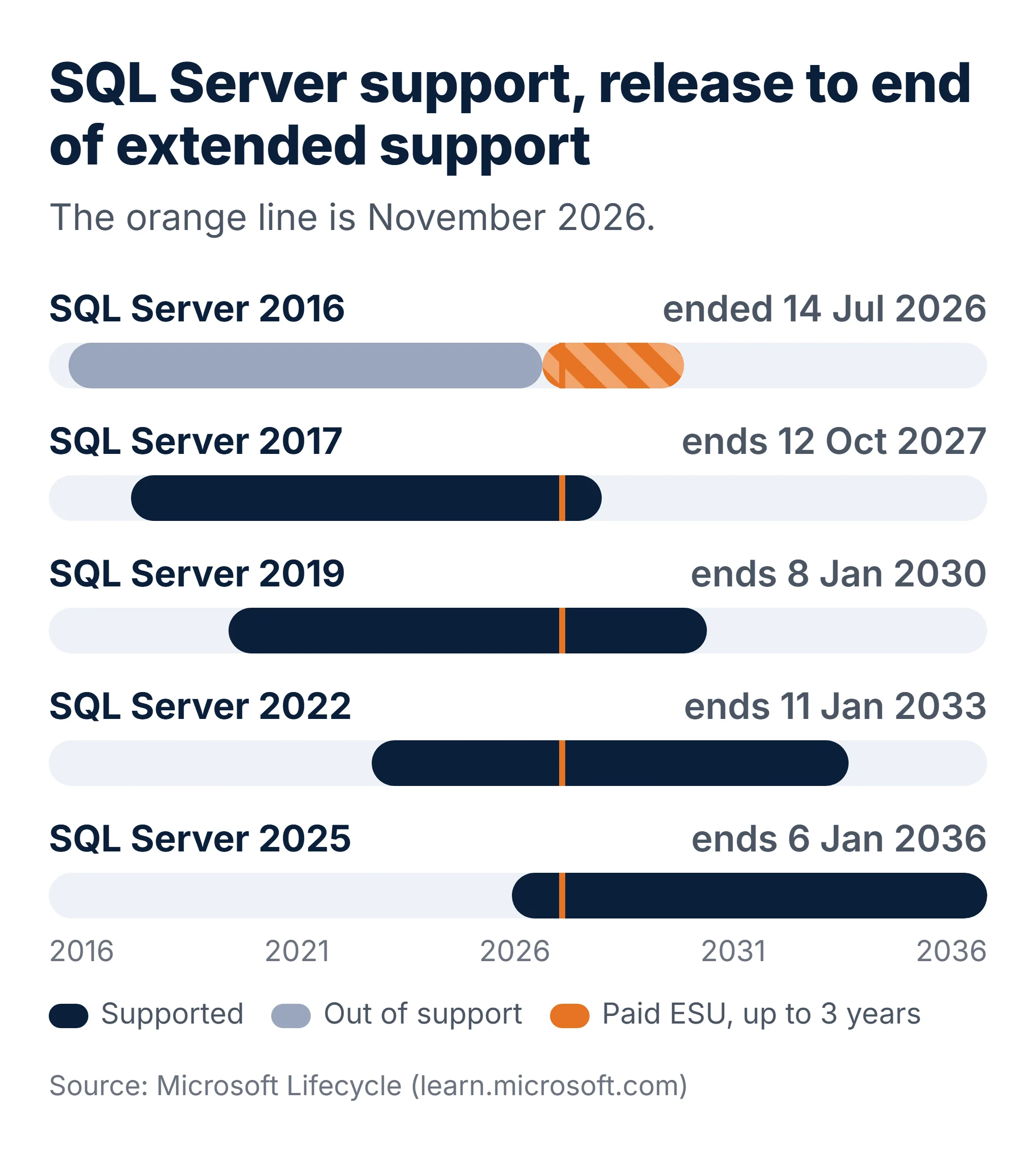
Short answer. SQL Server 2016 left extended support on 14 July 2026, and SQL Server 2017 follows on 12 October 2027, so any database still on 2016 is already unpatched unless you pay for Extended Security Updates (ESU). Plan to be on SQL Server 2022, SQL Server 2025 or Azure SQL Managed Instance before October 2027. The upgrade itself is usually routine; what breaks is around it: compatibility levels, old client drivers and a few removed features.
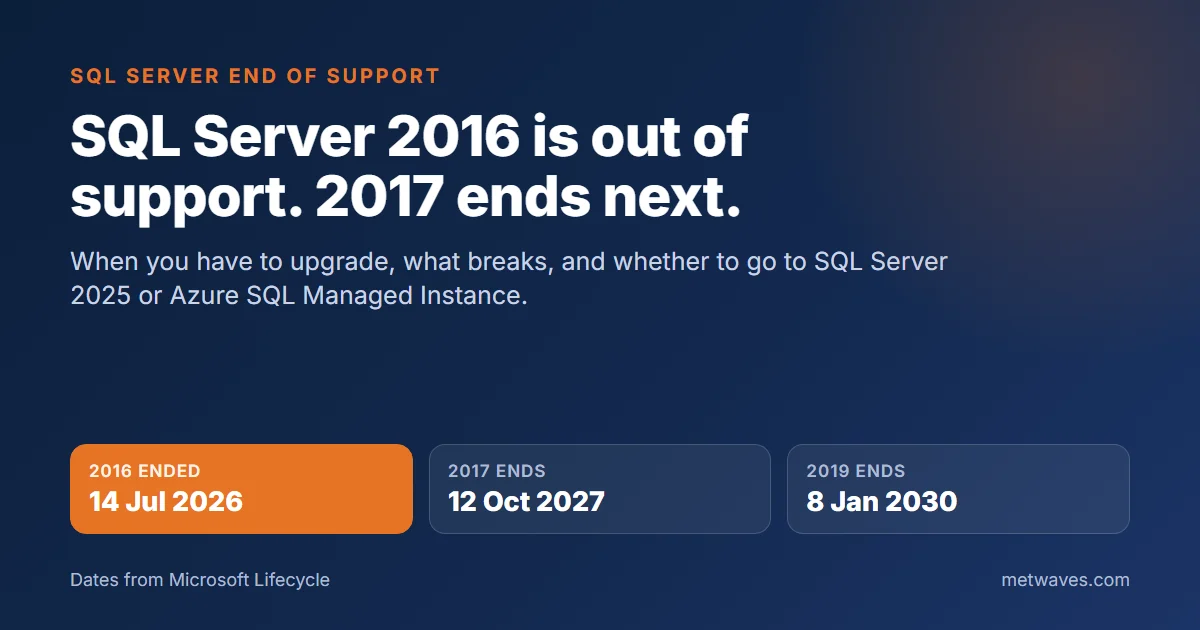
- SQL Server 2016Out of support since 14 July 2026. Paid ESU available to July 2029, through Azure Arc or volume licensing
- SQL Server 2017Extended support ends 12 October 2027. No ESU programme announced for it
- SQL Server 2019Mainstream support ended 28 February 2025; security fixes continue to 8 January 2030
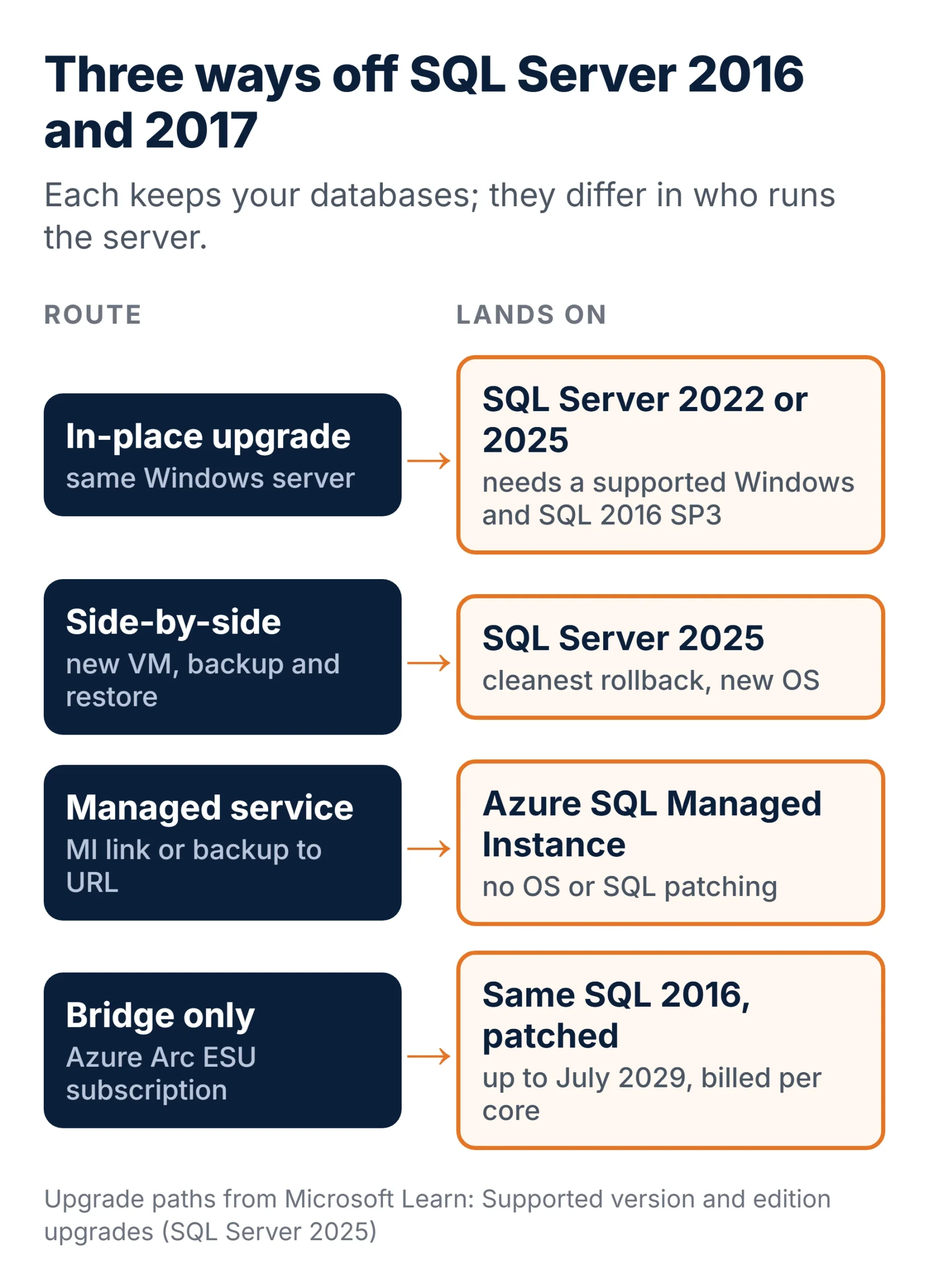
- Direct upgrade to 2025Supported from 2016 SP3, 2017, 2019 and 2022 (and 2014 SP3)
- Free ESU in Azure?Not for 2016. Microsoft ended free ESU on Azure VMs starting with SQL Server 2016
Dates are from Microsoft's lifecycle pages for SQL Server 2016, 2017 and 2019, checked on 21 November 2026.
When does support end for each SQL Server version?
Microsoft's Fixed Lifecycle Policy gives each SQL Server version five years of mainstream support (fixes and some improvements) and five years of extended support (security fixes only). When people search for "SQL Server 2019 end of life" they often find the 2025 date: that was the end of mainstream support. 2019 still gets security fixes until 2030.
| Version | Released | Mainstream ended | Extended support ends | Status today |
|---|---|---|---|---|
| SQL Server 2016 (13.x) | 1 June 2016 | 13 July 2021 | 14 July 2026 | Out of support; ESU only |
| SQL Server 2017 (14.x) | 29 September 2017 | 11 October 2022 | 12 October 2027 | Security fixes only, 11 months left |
| SQL Server 2019 (15.x) | 4 November 2019 | 28 February 2025 | 8 January 2030 | Security fixes only |
| SQL Server 2022 (16.x) | 16 November 2022 | 11 January 2028 | 11 January 2033 | Fully supported |
| SQL Server 2025 (17.x) | 18 November 2025 | 6 January 2031 | 6 January 2036 | Fully supported, newest |
Microsoft's pages show end dates as, for example, "7/15/2026 6:59:59 AM". That is the last second of the previous day in Pacific Time written in UTC, so the real last day is the 14th, the final Patch Tuesday.
What happens if a database stays on SQL Server 2016?
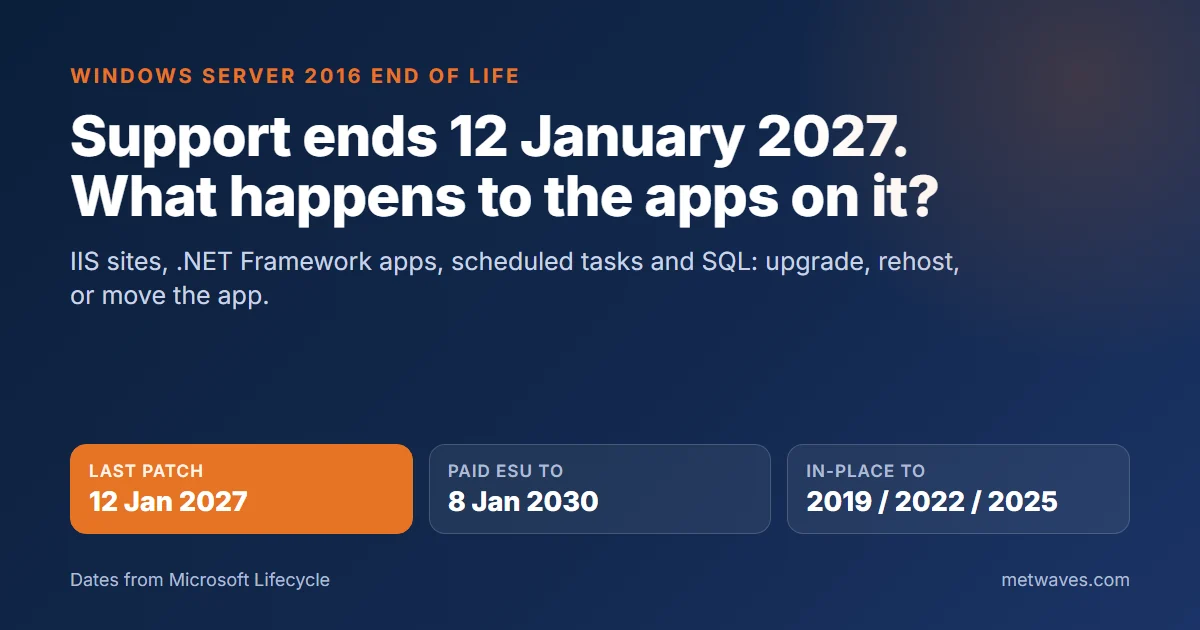
The database keeps working. Microsoft simply stops shipping fixes. New vulnerabilities in the database engine, which sits behind every order, invoice and customer record you hold, stay open. If the server is also Windows Server 2016, that operating system loses support on 12 January 2027, so the whole stack ages out together.
In practice you will also hit:
- Compliance questions. PCI DSS, HIPAA risk assessments, SOC 2 and cyber-insurance renewals all ask about unsupported software holding sensitive data.
- Tooling drift. New versions of SQL Server Management Studio, drivers and backup tools are tested against supported versions first.
- A harder jump later. Every year you wait, the gap to the current compatibility level and driver defaults grows.
How much do SQL Server 2016 ESUs cost?
SQL Server 2016 ESUs work differently from earlier ones, and the change matters:
- No longer free on Azure VMs. Microsoft's ESU page says that "starting with SQL Server 2016 (13.x), migrating your workload to SQL Server on Azure VMs no longer provides free access to ESUs". SQL Server 2014 customers still get them free there.
- Bought through Azure Arc. On-premises and in other clouds you connect the server to Azure Arc (free) and turn on an ESU subscription. You need Software Assurance, or you switch the instance to pay-as-you-go licensing. Servers that cannot connect to Azure can buy ESU through volume licensing instead.
- Billed per core, per hour. Usage is counted on all cores the operating system sees, with a minimum of four. Microsoft's public retail price list shows the SQL Server 2016 ESU meters at $0.19 an hour for Standard and $0.74 an hour for Enterprise. At four cores of Standard, that is roughly $555 a month, or about $6,650 a year, at list price. Check your own core count in the Azure pricing calculator.
- Back-billed if you start late. ESU year 1 started on 14 July 2026. Subscribe now and your next bill includes the months since then.
- Free outside production. Developer edition instances, and instances in an Azure dev/test subscription, get ESU at no charge if production is subscribed.
ESUs only ship when Microsoft rates a vulnerability Critical, so there is no regular cadence. Microsoft also asks you to install the latest cumulative update (CU) before subscribing, because ESU packages build on it. If you have only ever applied GDR security updates, plan that CU first.
For SQL Server 2017 there is no ESU programme announced as of today. Microsoft's ESU pages cover 2014 and 2016 only. Treat 12 October 2027 as a hard date.
Which target: SQL Server 2022, SQL Server 2025 or Azure SQL Managed Instance?
| Target | Supported until | Good for | Watch out for |
|---|---|---|---|
| SQL Server 2025 | 6 January 2036 | Most businesses staying on their own servers or VMs; longest runway | Needs Windows Server 2019 or later; Web edition gone; DQS and MDS removed |
| SQL Server 2022 | 11 January 2033 | Vendors who have certified 2022 but not 2025 yet | Three fewer years; mainstream support ends January 2028 |
| Azure SQL Managed Instance | Evergreen (Microsoft patches it) | Teams who want no OS or SQL patching, and keep SQL Agent, CLR and cross-database queries | No FILESTREAM, no xp_cmdshell, no file-share access, no Windows logins (Microsoft Entra instead) |
| SQL Server on an Azure VM | Per version (2022 or 2025) | Lift-and-shift when you are leaving your own hardware anyway | You still patch Windows and SQL Server |
A few SQL Server 2025 changes are worth knowing before you pick it. Standard edition now uses up to 32 cores and 256 GB of buffer pool memory, up from 24 cores in 2022. Express edition now includes what used to be Express with Advanced Services. On-premises reporting moves to Power BI Report Server, which Microsoft now makes available to SQL Server 2025 Standard and Enterprise customers; there is no new SQL Server Reporting Services (SSRS) release (SQL Server 2025 editions).
What breaks when you upgrade SQL Server?
Most upgrades fail on the edges, not in the engine. These are the five things we check on every SQL Server 2016 or 2017 upgrade.
1. Compatibility level and query plans
An upgraded or restored database keeps its old compatibility level: 130 for 2016, 140 for 2017. That is deliberate. The app behaves as before until you raise it, and raising it to 160 (2022) or 170 (2025) turns on newer optimizer behaviour that can make some queries faster and a few much slower. Use Query Store to catch regressions:
-- 1. Capture a baseline at the old level for a representative week
ALTER DATABASE [Sales] SET QUERY_STORE = ON (OPERATION_MODE = READ_WRITE);

-- 2. Raise the level
ALTER DATABASE [Sales] SET COMPATIBILITY_LEVEL = 170;   -- 160 on SQL Server 2022

-- 3. If a query regresses, pin its old plan while you fix it
EXEC sp_query_store_force_plan @query_id = 42, @plan_id = 7;

-- Last resort for the whole database
ALTER DATABASE SCOPED CONFIGURATION SET LEGACY_CARDINALITY_ESTIMATION = ON;
2. Client drivers and encryption defaults
Upgrading SQL Server often goes with upgrading the app's driver, and that is where the most common error after an upgrade comes from. Microsoft.Data.SqlClient 4.0 and later, and ODBC Driver 18, encrypt connections by default and validate the server certificate. A server with a self-signed certificate then fails with:
A connection was successfully established with the server, but then an error occurred during the
login process. (provider: SSL Provider, error: 0 - The certificate chain was issued by an authority
that is not trusted.)
The right fix is a certificate the clients trust on the SQL Server. TrustServerCertificate=True in the
connection string works as a stopgap, and Encrypt=False restores the old behaviour at the cost of
unencrypted traffic (Microsoft's guidance). Also note that SQL Server Native Client (SNAC,
the SQLNCLI11 provider) was removed from SQL Server 2022, so linked servers and old apps that use it need
the Microsoft OLE DB Driver (MSOLEDBSQL) instead.
3. Removed features
Check whether you use anything on Microsoft's discontinued features list:
- SQL Server 2025: Data Quality Services and Master Data Services are removed; Synapse Link is discontinued (Microsoft points to Mirroring in Fabric).
- SQL Server 2022: PolyBase external data sources with
TYPE = HADOOPno longer work and must be recreated; PolyBase scale-out groups are gone; several Machine Learning Services packages are no longer installed. - All versions: Stretch Database was discontinued in July 2024.
4. Deprecated T-SQL still in use
SQL Server counts every use of a deprecated feature. Run this on the old server after a normal business week:
SELECT instance_name AS deprecated_feature, cntr_value AS times_used
FROM sys.dm_os_performance_counters
WHERE object_name LIKE '%Deprecated Features%' AND cntr_value > 0
ORDER BY cntr_value DESC;
5. Edition and operating system
SQL Server 2025 needs Windows Server 2019 or later, so a 2016 instance on Windows Server 2016 cannot be upgraded in place; it moves side by side to a new server. Web edition no longer exists in 2025, so Web instances upgrade to Standard, which changes your licence. And 2016 must be on Service Pack 3 before setup will upgrade it (upgrade paths).
How do you run the upgrade, step by step?
- Inventory. Run
SELECT @@VERSION;andSELECT name, compatibility_level FROM sys.databases;on each instance. Record the edition, core count, Agent jobs, linked servers, SSIS packages and SSRS reports. - Build the target on Windows Server 2025 (or Azure SQL Managed Instance) and restore last night's backups there. Re-create logins with their original SIDs so database users still map.
- Test at the old compatibility level first. Point a test copy of the app at the new server, run the test suite and a week of replayed workload, and fix driver and connection-string issues.
- Cut over with log shipping or a final backup and restore in a maintenance window. For Managed Instance, the Managed Instance link replicates from 2016 SP3 (with its Azure Connect pack) or 2017 CU31 (with its Azure Connect pack) for a near-zero-downtime switch.
- Keep the old server read-only for two weeks as a rollback, then raise compatibility levels one database at a time with Query Store watching.
Our effort estimates for a typical small or mid-sized business: one instance with a handful of databases and a single app takes 1 to 2 weeks including testing; an estate with SSIS, SSRS, replication or several apps takes 4 to 8 weeks. The database is rarely the slow part. Finding every app and job that connects to it is.
What this means for you: owner
If you still run SQL Server 2016, you are already paying in risk; decide this quarter between ESU as a short bridge and an upgrade. Put SQL Server 2017 on the plan for the first half of 2027, not October.
What this means for you: developer
Turn on Query Store now, update to the latest CU, check the deprecated-features counter, and test the app with the current Microsoft.Data.SqlClient or ODBC 18 driver against a server with a trusted certificate.
Frequently asked questions
When did SQL Server 2016 support end?
Extended support for SQL Server 2016 ended on July 14, 2026. Microsoft offers paid Extended Security Updates for up to three more years, to July 2029, through Azure Arc or volume licensing.
When does SQL Server 2017 reach end of support?
SQL Server 2017 extended support ends on October 12, 2027. Mainstream support already ended on October 11, 2022, and Microsoft has not announced an ESU programme for SQL Server 2017.
What is the SQL Server 2019 end of life date?
SQL Server 2019 mainstream support ended on February 28, 2025, but security fixes continue until the end of extended support on January 8, 2030.
Can I upgrade SQL Server 2016 directly to SQL Server 2025?
Yes, if SQL Server 2016 is on Service Pack 3 or later and the server runs Windows Server 2019 or later. Otherwise, install SQL Server 2025 on a new server and move the databases with backup and restore.
Are SQL Server 2016 ESUs free in Azure?
No. Starting with SQL Server 2016, moving to SQL Server on Azure VMs no longer includes free ESUs. They are billed per core through the SQL IaaS Agent extension or Azure Arc. SQL Server 2014 ESUs remain free on Azure VMs.
Will my app break after upgrading SQL Server?
Usually not on day one, because databases keep their old compatibility level. Breakage tends to come from newer client drivers that encrypt by default, removed features such as Master Data Services, and query plan changes when you raise the compatibility level, which Query Store helps you catch.
Need a hand? We upgrade SQL Server estates and fix the application code around them for businesses in the US, UK, Canada and Australia, with a fixed quote after a short assessment. See our application modernization services, Azure consulting for Managed Instance moves, data engineering if reporting and SSIS are part of the estate, and QA and testing for the regression pass.

Nikit Nandan
Strategy Director
Nikit is experienced in conducting in-depth research to stay abreast of industry trends and emerging technologies.