
UI/UX Design Services
Our UI/UX design services cover web apps, mobile apps, portals and dashboards, from the first user interview to the screens your developers build. The people who design your screens work in the same team as the people who build them, so nothing is lost at handoff.

Telemeds+ designed from research to release · Clinic site with an ADA check · 5.0 on Clutch
UX AND UI
UX and UI design services: what each one gives you
UI/UX design services research how people use a product, then design its structure, flows and screens. UX design covers research, information architecture, user flows, wireframes and testing; UI design covers the visual screens and the component library developers build from. Metwaves designs web and mobile apps with the same team that builds them, and has shipped design work in healthcare and fintech.
UX design
What the product does, and in what order
- User research
Who uses this, for what, and where do they get stuck?
Research notes, personas - Information architecture
What does the product hold, and where does each thing live?
IA map - User flows
What are the steps for each task, and who does each one?
Flow diagrams - Wireframes and prototype
Does the layout work before it is styled?
Wireframes, clickable prototype
UI design
How each screen looks and behaves
- Visual design
How does each screen look, on every device?
Final screens - Design system
How do buttons, forms and states look and behave everywhere?
Component library, design tokens
WHEN TO CALL US
Signs you need UI/UX design
These are the sentences that usually start a design project with us.
- Users call support for things the app should make obvious.
- Sign-ups or bookings drop off at the same step, and nobody knows why.
- Our developers are guessing at screens because there is no design.
- Every screen looks a little different from the last one.
- An accessibility complaint or audit is on its way.
- We are planning a redesign and nobody agrees what to change.
SERVICES
UI UX design services we provide
Six services you can buy together or on their own. Each one ends with something you can open, review and keep.
UX research and audit
Interviews, analytics and support tickets turned into a ranked list of problems, each with the evidence behind it. For a live product, the audit says what to fix first and what to leave alone.
You keepResearch notes and a ranked problem list
Information architecture and user flows
What the product holds, organised by role, and a flow diagram for every task, so nobody argues about screens before the structure is agreed.
You keepAn IA map and flow diagrams
Wireframes
Low-fidelity screens that settle layout and content before anyone spends time on colour, reviewed with you page by page.
You keepWireframes for every key screen
Interactive prototypes and testing
Clickable journeys put in front of the people who will use them, before code. For prototype then MVP, see software prototyping.
You keepA clickable prototype and the feedback on it
Visual UI design and a design system
Final screens, plus the colours, type, spacing and components behind them, so new screens match the old ones without a designer in every sprint.
You keepFinal screens and a component library
Accessibility and developer handoff
Contrast, focus order, text size and labels checked before handoff, with every state a developer needs: empty, loading, error and success.
You keepSpecs and states, in the sprint that builds them
How design moves into the build
The flow diagrams drawn in design are reused through the build: developers build from them, and testers write their test cases from them.
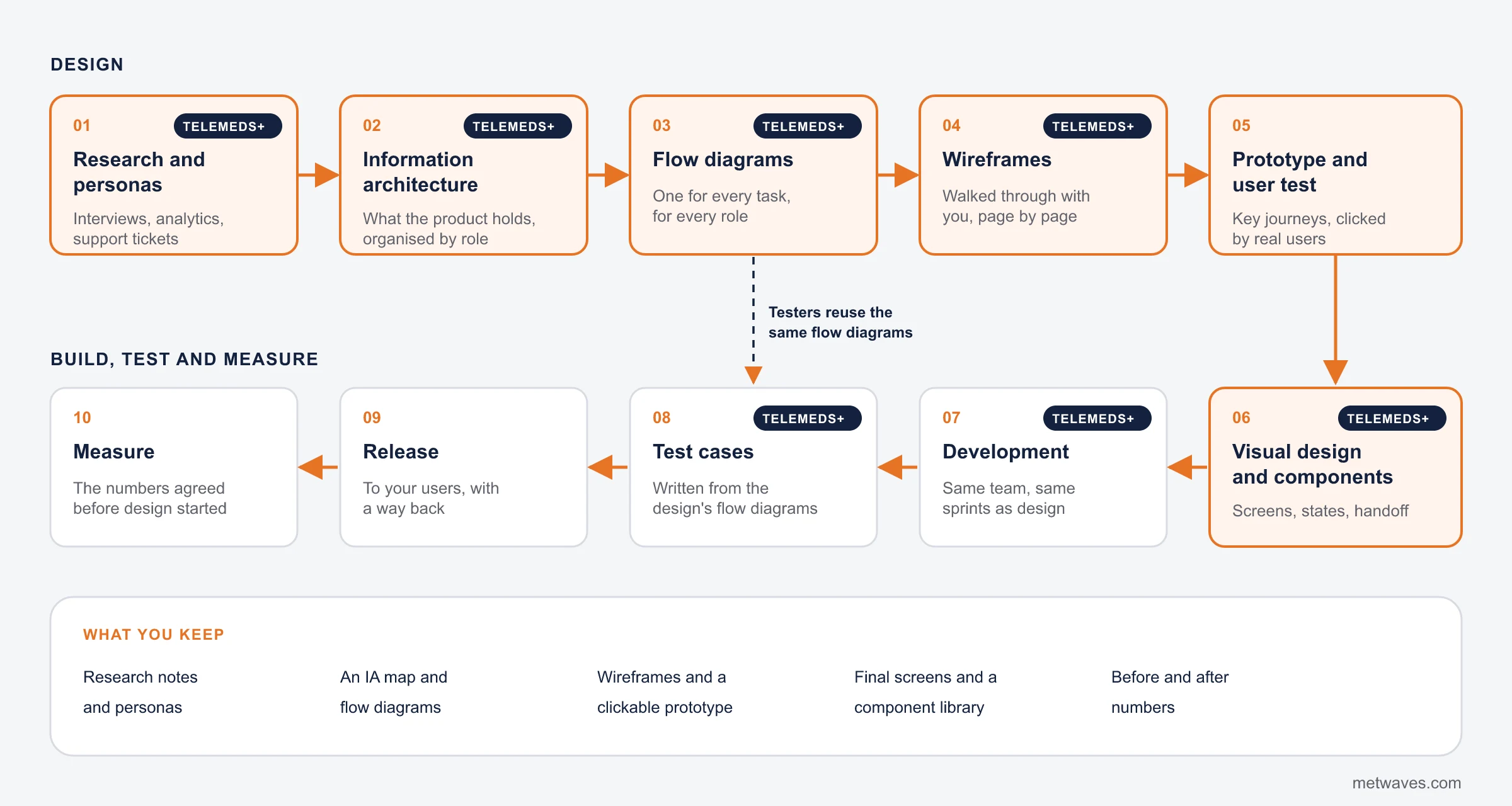
- Design
- Build, test and measure
- Done this way on Telemeds+
What stays with you
The design files, prototypes, flow diagrams and the component library are yours, in a tool your team can open. Nothing is locked in our accounts.
Design and build in one team
- The people who design your screens work in the same sprints as the people who build them.
- Designs are checked against what the platform can do before you sign them off.
- Small design fixes during the build happen without a change request.
- On Telemeds+, testers wrote their test cases from the same flow diagrams the designers drew.
UI/UX design services for healthcare products
Healthcare products serve several roles under privacy rules, often on a phone, often in a hurry. We have designed and built two that are live as case studies: the Telemeds+ telemedicine app and an urgent care clinic's website. See healthcare software development for the build side.

Several roles, one product
Telemeds+ has patients, doctors and administrators, each with their own dashboard and tasks. We designed each role's flows separately before any screen.

Context of use
We designed for use at home, on the go and in the clinic, and decided which features matter most on a tablet and on a phone.

Privacy shapes the screens
HIPAA controls (encryption, access controls, audit trails, encrypted video and messages) decide what each screen shows and to whom.

Booking first
For the urgent care clinic, booking and the list of treated conditions are one tap from every page, built for a phone held in one hand.

Accessibility
The clinic site had an ADA accessibility check before launch. In healthcare, retrofitting it later costs far more.
CASE STUDY
Telemeds+: research and wireframes before a line of code
A physician who owns two urgent care clinics in Virginia came to us with an idea for a telemedicine app and no written brief. He asked us to research, wireframe and test the idea before building it.
Our business analyst and technical lead interviewed the client and his team, built proto personas, mapped the information architecture and drew a flow diagram for every function. We walked the stakeholders through low-fidelity wireframes page by page, revised them, then handed over to visual design and development. Testers wrote their test cases from the same flow diagrams.
- ClientOwner of two urgent care clinics, Virginia, US
- ServicesResearch, UX/UI design, development
- TeamProject manager, business analyst, UI designer, developers, QA engineer
- Result40% reduction in workload as scheduling and routine admin were automated
How we measure UX
We agree the numbers before we design, then measure the same numbers after release.
- Task successShare of users who finish a task, such as bookingThe plainest test of whether a design works
- Time on taskHow long the task takesShows friction that success rates hide
- Drop-off at a named stepWhere users leave a flowPoints to the one screen to fix first
- Support tickets per taskCalls and emails about something the app should make obviousTurns UX into a cost your finance team recognises
- Accessibility issuesProblems found against WCAGFewer complaints, and more people who can use the product
Measured on our projects
25%more online appointment requests after one-click booking went liveUrgent care clinic →40%less workload as scheduling and routine admin were automatedTelemeds+ →85%positive feedback from beta testers on a prototype-led designTradeAlert →Each result is reported in the project's case study.
How we design
Five steps. You review the result of each before the next one starts.
- 1
Discovery and research
Interviews with you and your users, a look at analytics and support tickets, and the numbers we will measure after release.
- 2
Information architecture and flows
Everything the product holds, organised by role, and a flow diagram for each task.
- 3
Wireframes, reviewed page by page
Low-fidelity screens walked through with your stakeholders, one page at a time, then revised.
- 4
Clickable prototype and feedback
The key journeys linked into a prototype, put in front of the people who will use them.
- 5
Visual design, components and handoff
Final screens, a component library and the states developers need, handed to the team that builds them.
What UI/UX design costs
Design is priced by the hour, as a fixed price per phase, or as a monthly retainer. We prefer a fixed price for the design phase, so you know the cost before you start. These factors move it most.
Screens and user roles
A few screens for one role is a different job from a product with patients, doctors and administrators.
Depth of research
A review of analytics and support tickets is quick; interviews and tests with real users take longer.
Platforms
Web, iOS and Android each have their own conventions, so each adds layouts and states.
A design system
A component library costs more up front and less on every screen after it.
Accessibility level
Built in from the first wireframe it costs little; retrofitted later it costs far more.
Brand and real content
A brand guide and real content to design with save rounds of revision.
Ways to work with us
Buy design on its own, or design and build with one team.

Fixed-price design phase
Research, flows, wireframes and a prototype for a new product or a redesign, quoted after the first call.

Design, then build
A fixed design phase, then a build estimate for web or mobile development by the same team.

Designer in your team
Design capacity inside your own sprints, monthly.

Monthly design support
New screens and fixes on a live product, paid for the hours used.
STANDARDS
The platform rules we design to
Each platform has its own conventions. Following them makes an app feel familiar on the first tap.
Web
Web apps and portals
- Layouts
- Designed for phone first, then tablet and desktop.
- Input
- Keyboard use and focus order for every interactive element.
- Data
- Dense screens such as dashboards designed with real data, not placeholder numbers.
iOS
iPhone and iPad apps
- Guidelines
- Apple's Human Interface Guidelines for navigation, controls and gestures.
- Text
- Dynamic Type, so text scales with the user's settings.
- iPad
- Separate layouts where iPad use differs from iPhone.
Android
Android apps
- Guidelines
- Google's Material Design guidance for navigation and components.
- Screens
- Many sizes, including small phones and foldables.
- Back
- System back behaviour designed in, not patched later.
Accessibility
Every platform
- Target
- WCAG 2.2 level AA.
- Checks
- Colour contrast, text size, screen reader labels and visible focus.
- Errors
- Messages that say what went wrong and how to fix it.
You get the design files in a tool your team can open, and they are yours.
CHOOSING A PARTNER
How to choose a UI/UX design company
Signs that separate a team that ships products from one that only makes screenshots.
Good signs
- They show you wireframes and the shipped product, not only polished screenshots.
- The people who design your screens work with the people who build them.
- They say how and with whom they will test the design.
- You own the design files, prototypes and component library.
- They name the accessibility target before they start.
Warning signs
- Visual design starts before anyone has talked to a user.
- Designs are handed over as images, with no states for errors or empty screens.
- Nobody can say which number the redesign should move.
- The design team and the build team meet for the first time at handoff.
- You need a full brand identity: a branding agency fits better than us, and we will say so.
Related services
Design is the start. These services take it to release.
QUESTIONS & ANSWERS
UI/UX design services: frequently asked questions
Straight answers on cost, timelines, ownership and healthcare design. If you don't see an answer to your question, you can send us a message from our contact form.
We do. We designed and built Telemeds+, a telemedicine app with patient, doctor and administrator roles and HIPAA controls, and a booking-first website for an urgent care clinic that had an ADA accessibility check before launch. Healthcare design has to handle several roles, privacy rules and accessibility from the first wireframe.
Design is priced by the hour, as a fixed price per phase, or as a monthly retainer. The number of screens and user roles, the depth of research, the platforms (web, iOS, Android) and whether you need a design system move the price most. We quote a fixed price for the design phase after a first call.
Ask to see wireframes and the shipped product, ask who builds what they design, ask how they test, and check that you will own the files. Working hours that overlap with your team matter more than the firm's address.
We will not rank our competitors. Use the good signs and warning signs on this page to judge any firm, including us.
It depends on the number of screens and roles and how much research is needed. We give you dated stages after the first call, with a review at the end of each.
You do: the design files, prototypes, flow diagrams and the component library.
Often, yes. A UX audit ranks the problems by impact and effort, and many fixes are changes to existing screens rather than a rebuild.
UX design decides what the product does and in what order. UI design decides how each screen looks and behaves. Most projects need both.
Yes. WCAG 2.2 level AA is our design target: contrast, text size, focus order, screen reader labels and error messages that say how to fix the problem. The urgent care clinic site had an ADA accessibility check before launch.
INSIGHTS & NEWS
Discover IT Industry Insights and Technology Trends
 Nikit Nandan
November 17, 2026
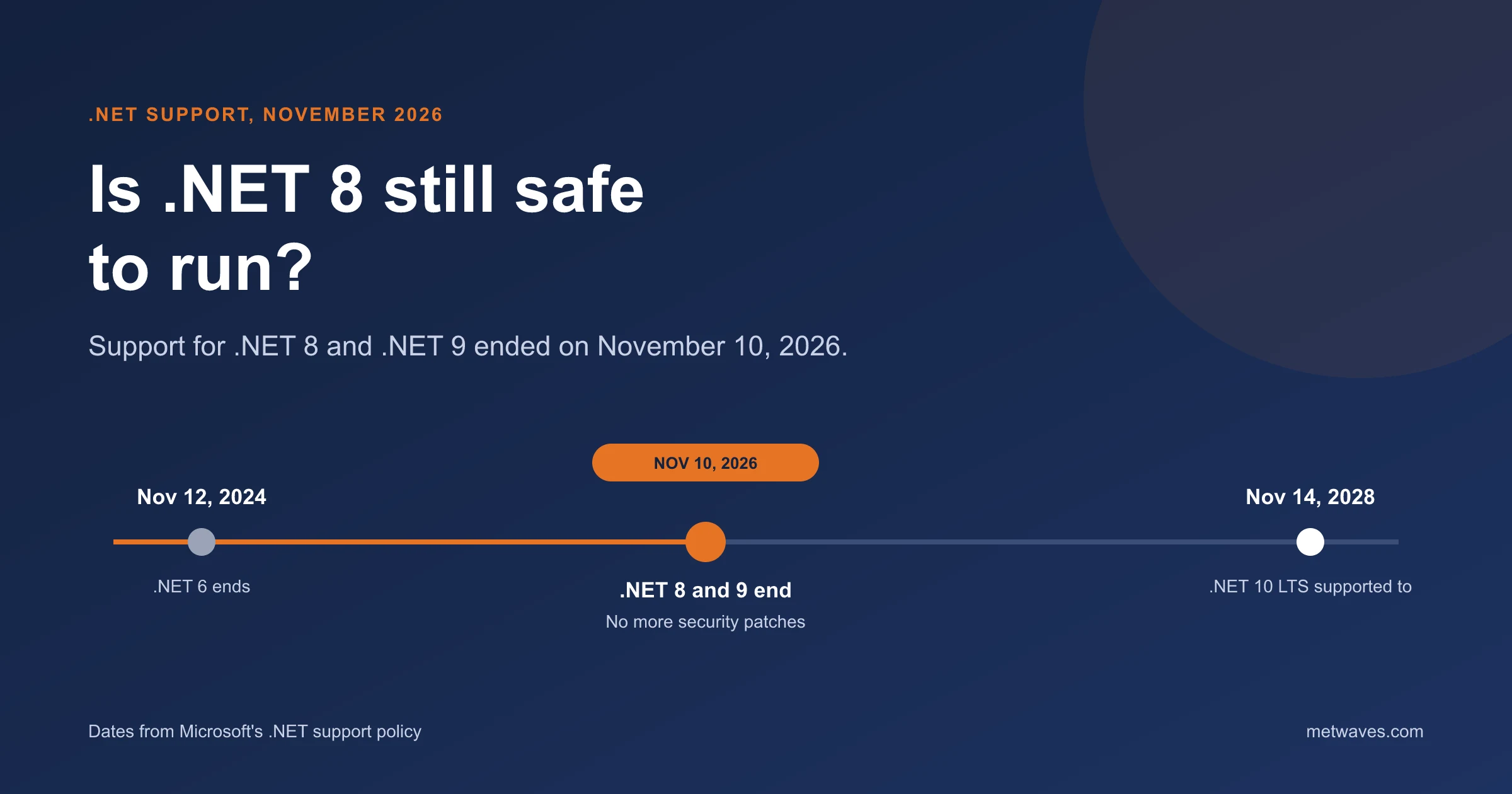
Is .NET 8 Still Safe to Run After November 2026?
Support for .NET 8 and .NET 9 ended on November 10, 2026. What that means for apps still on them, how risky it is, and how to plan the move to .NET 10.
Learn More >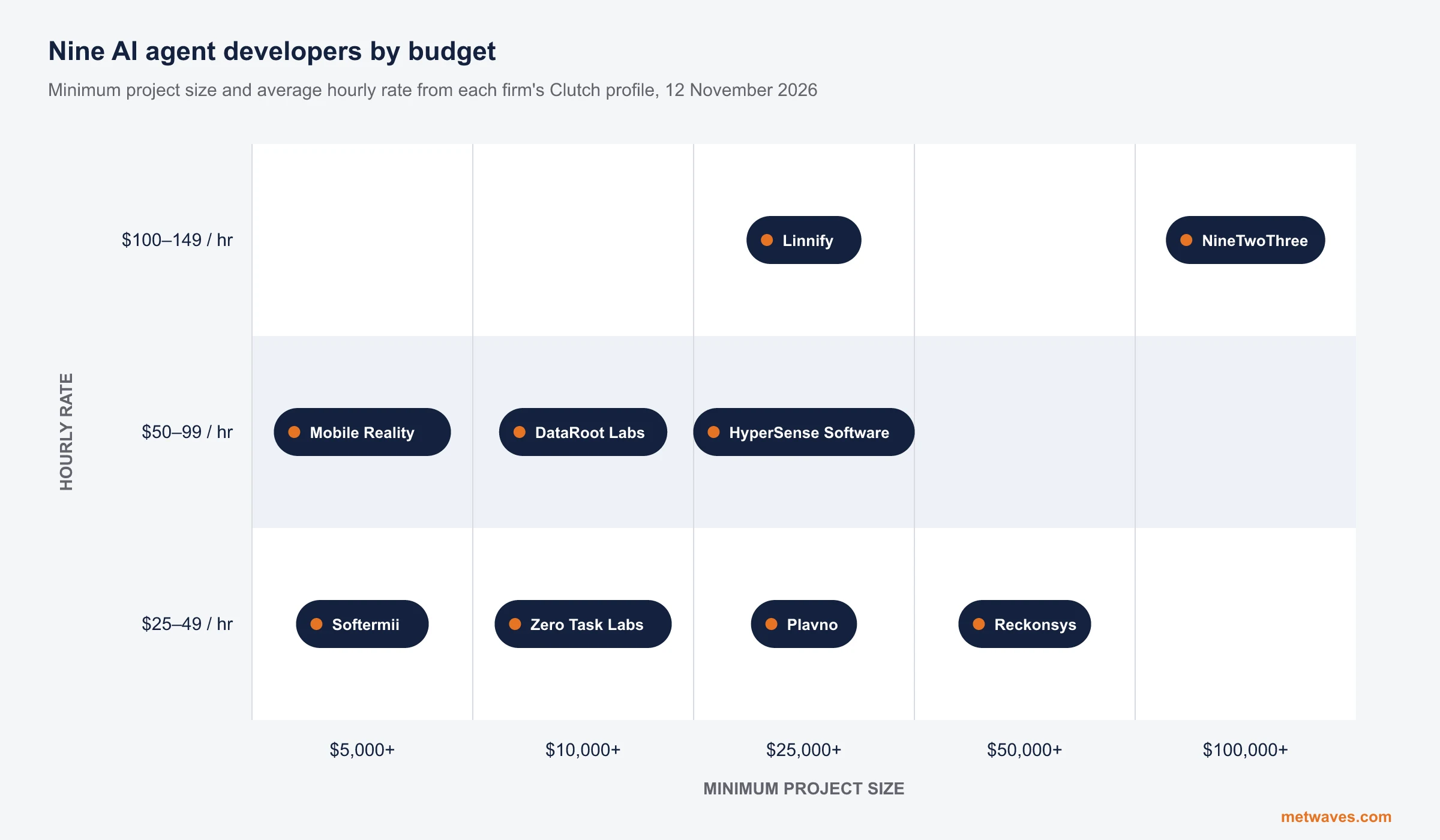 Nikit Nandan
November 12, 2026
Top AI agent development companies for small and mid-sized businesses (2026)
Nine AI agent development firms a small or mid-sized business can shortlist, with Clutch figures, minimum budgets and the weaknesses their own clients name. Published by Metwaves, which is not ranked.
Learn More >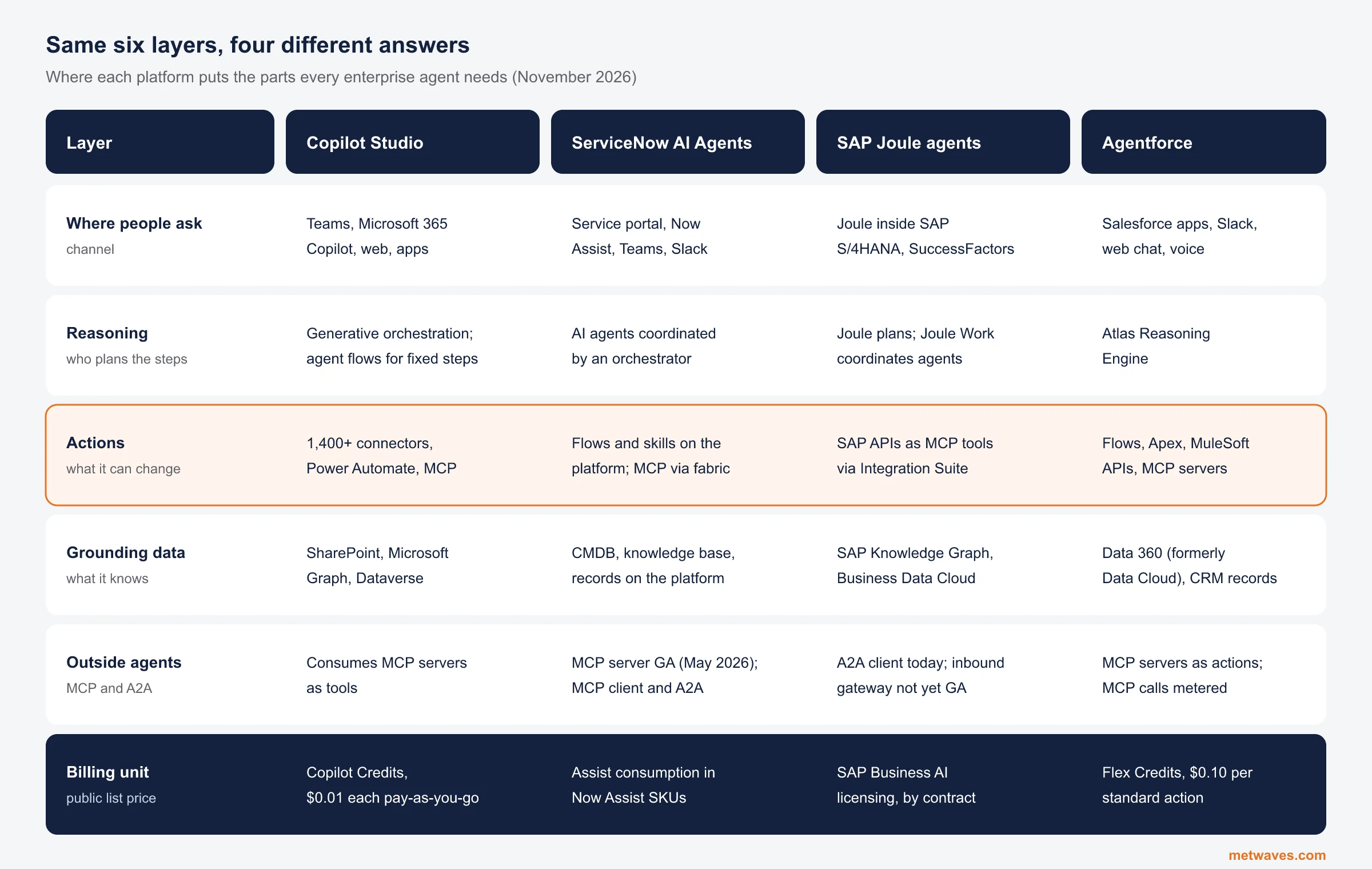 Nikit Nandan
November 12, 2026
Enterprise AI Agent Platforms Compared (2026)
An architecture review of the four big enterprise AI agent platforms: where each one reasons, acts, finds its data and connects to outside agents, what it costs, and when a custom build is the better choice.
Learn More >Let’s build your idea!
Let us help you with free analysis & estimate.
Our product expert will contact you within 12 hours.